How to Migrate Data Without Errors: 10 Common Problems and Practical Solutions with Case Studies

10 common data migration problems, practical ways to avoid them, and a checklist to assess project readiness.

  • What Is Data Migration
  • What business goals does data migration solve?
  • Types of data migration: how to choose the right one
  • Data Migration: Problems and How to Solve Them

Main text

  1. Data migration is not just moving information. It is a full-scale project with deadlines, risks, and business impact.

  2. If the details are not accounted for, failures, losses, and downtime are possible.

  3. We will look at 10 key data migration problems that most often slow projects down and show how they are solved in practice.

  4. We will review real cases from CIS companies and provide a practical checklist so you can quickly assess your team's readiness for a migration project.

What Is Data Migration

According to Gartner, only 17% data migration projects stay within the original budget and timeline. The rest go over budget, miss deadlines, lose some information, and stop business processes.

This leads to losses, customer service disruptions, reputational risks, and lost revenue. Data Migrationrequires preparation and precise execution - Simply moving files to a new system is not enough. You need to extract, transform, validate, and load the data into the new environment. Such projects are launched to solve specific business problems.

System stability, information availability, and IT security depend on how the migration is executed. What business goals does data migration solve? Companies start migration projects when they run into limits in their current systems. Here are the main goals: 1. Lower operating costs. Data is moved from outdated, expensive servers or on-premises data centers to the cloud.

This makes it possible to move from large one-time investments (CAPEX) to a flexible pay-for-actual-use model (OPEX). 2. Improved processing speed. Modern databases and hardware process requests faster. This reduces report generation time, speeds up access to customer data, and improves performance. 3. Unifying fragmented information. After mergers or organizational growth, data ends up in different systems.

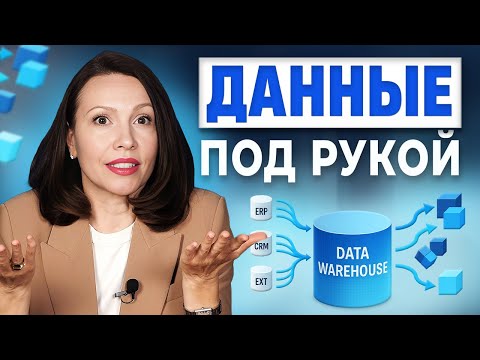
Migration brings them together in one repository (for example, DWH), removes duplicates, and provides a complete picture for management decisions. 4. Strengthening security and compliance. Legacy systems do not always comply with standards (for example, Federal Law GDPR or GDPR).

Migrating to a secure platform with encryption, access control, and auditing reduces the risk of leaks and fines. 5. Ensuring technological independence. Under import substitution, organizations are moving from foreign software (for example, Oracle, SAP) to domestic solutions - Postgres Pro, Red OS, and others. Migration makes it possible to keep operating without relying on foreign vendors. 6. Integration with modern analytics tools. Legacy systems do not support Big Data and AI.

After migration, you can use analytics and machine learning to draw more accurate insights from the data.

Discuss your challenge with an architect

Types of data migration: how to choose the right one

The migration approach affects the project timeline, budget, and risks. One of the main factors - moving to the cloud. According to forecasts, the cloud technology market will exceed $1 trillion by 2028. This is pushing businesses to modernize IT systems and move data. However, to make the process smooth, it is important to first understand which type of migration you are dealing with.

Migration is classified by the format of the data being moved. The choice depends on the business goals: moving to new software, upgrading hardware, or consolidating systems.

Migration typeWhat is migratedWhen to use it
Data warehousesFiles, documents, media, archives, backupsWhen moving from legacy servers or tape to SSD storage
or cloud services such as Yandex Cloud.
This helps reduce support costs and improve storage reliability.
DatabasesTables, schemas, relationships, everything that is part of the DBMSWhen replacing expensive or slow solutions with faster or cheaper ones.
For example, migrating from Microsoft SQL Server to PostgreSQL
or to the cloud for scalability.
ApplicationsSettings and data in specific systems
(for example, CRM, ERP, accounting)
When a company moves to new software.
Example - migrating an accounting system
from an on-premises server to cloud 1C.
Cloud infrastructureAll components: data, databases, applications,
virtual machines
When moving IT systems from the office to the cloud
for flexibility, availability, and pay-as-you-go pricing
(OPEX instead of CAPEX).
Business processesOperational data, reports,
rules and automation
When fragmented processes and data need to be unified.
Example - consolidating all customer information in a CDP
for a unified approach to analytics and sales.

Important:The migration approach depends on the data type. To keep the project running smoothly, first clearly define what you are moving - files, a database, an application, or processes - because that affects the work plan, tool selection, and risk assessment. Let's look at an example.A move between different database management systems is one of the most complex types of migration. In 2017, the Discord team migrated data from MongoDB to Cassandra. The main challenge was converting nested JSON objects into a flat structure.

This required revisiting the storage logic and building a new database architecture. The work took months and showed how important it is to understand the data structure before the project starts.

Data Migration: Problems and How to Solve Them

  1. Even if the project is well planned, you can still run into common mistakes. Below are real issues, their consequences, and clear steps to handle them.
  2. Incompatible formats and structures Problem: the field formats in the old and new systems do not match. For example, a date is stored as text, but it needs to be a TIMESTAMP. Or the "product name" field used to fit 100 characters, but now it only fits
  3. As a result - loading errors and data corruption.

According to integrators, up to this much time is spent on such discrepancies 30%project timeline. Solution: - Audit both systems' schemas and verify field types and lengths. - Create a mapping table: where the data comes from, where it goes, and how it changes. - Configure the ETL tool for automated transformation. 2. Poor data quality Problem: duplicates, empty fields, and outdated records are migrated along with the necessary information.

After migration, reports do not match and relationships between tables are lost. Solution: - Clean the data before migration, not after. - Find and merge duplicates. - Check business rules, for example that the invoice total matches the sum of payments. - Restore key relationships using master data and logs. 3. Data leakage and security issues Problem: During migration, data may end up on unsecured media or remain with the contractor.

This risks fines and loss of trust. Solution: - Encrypt data both at rest and in transit (TLS). - Restrict access: only the necessary employees and only for the duration of the project. - Keep access logs. - Delete all temporary copies after completion. 4.

Simple business systems Problem: if everything is moved at once, the system may be unavailable for hours or days, which will stop sales and service. Solution: - Migrate in stages: first master data, then active data. - Use replication so the new system receives updates before cutover. - Schedule the move for nighttime or weekends. 5. Slower performance in the new system Problem: the data has been migrated, but reports are slow.

The cause is misconfigured indexes and unaccounted-for load. Solution: - Test the system before go-live with production-scale volumes. - Tune indexes for real queries. - Run load testing. - Allocate time for performance tuning. 6. Missed deadlines and budget overruns Problem: The project was estimated at 3 months, but it took 8.

Costs doubled because of unplanned work. Solution: - Break the project into phases with time and budget buffers. - Maintain a risk register and prepare fallback actions for failures. - Review progress weekly. - Automate routine work. 7. Challenges with legacy systems Problem: legacy IT systems without API or documentation.

They run on rare technologies, so specialists are hard to find. Solution: - Do not dive into the legacy system's internal structure - work with it through available interfaces without changing its internal logic. - Connect through available interfaces (for example, ODBC). - Move only current data, and keep the archive in read-only mode.

Discuss your challenge with an architect

8. Superficial testing Problem: They checked that there were 100,000 records, but did not notice that 10 of them were corrupted and were breaking reports. Solution: - Test quality, not quantity. - Verify integrity, correctness, and compliance with business rules. - Run testing with real users. 9. Lack of experience in the team Problem: the team knows the current system well but is not familiar with the new platform.

Learns on the fly. Solution: - Assess which competencies are required. - Bring in external specialists. - Provide training in advance. - Start with a pilot project. 10. No rollback plan Problem: After go-live, the new system does not work and the old one has already been shut down. There is no way back. Solution: - The rollback plan should be part of the project. - Define the conditions under which you must roll back. - Test rollback in a test environment. - Create a full backup.

Examples of data migration in CIS companies

We will look at 3 cases where companies solved data transfer challenges with different scales and approaches.

1. Avito: migration from Microsoft SQL Server to Postgres Pro

Task: the company replaced a foreign DBMS with the CIS Postgres Pro Enterprise to reduce costs and meet import substitution requirements.

It was necessary to migrate about 10 TB of data from the corporate 1C system. Solution: - Audited the differences between the DBMSs - syntax, data types, transactions. - Set up a phased migration with replication to avoid stopping operations. - Ran load testing before launch to verify whether Postgres Pro could handle the workload. Result: the system kept running without disruptions. Avito reduced licensing costs and moved to a CIS platform.

2. Sber: migration from Teradata to SberData Platform

Task: The bank completely replaced the foreign Teradata platform with its own SberData Platform. It needed to move analytics, customer, and risk data without stopping operations. Solution: more than 2,000 employees from 205 teams were involved in the project. The work was carried out in stages: the first moves started in 2022, and the final phase was completed in September 2024.

At each stage, the team worked through all key scenarios and built in rollback capability to avoid failures and keep operations stable. Result: - The bank moved away from foreign software. - Reduced costs for data storage and processing. - Simplified access to analytics and AI tools. - Prepared the platform for higher load and new services.

3. TechnoCity: fast CRM replacement without stopping operations

Task: a large retailer upgraded CRM system, without stopping warehouse operations, online orders, the call center, or the loyalty program. The old system was tightly connected to a dozen others. Solution: The partner team connected the new CRM to the existing ESB and started routing part of the traffic to it. At the same time, they compared the results of the new and legacy systems to verify data and process correctness.

After that, they gradually moved the entire workflow to the new CRM without changing integrations with other systems. Result: - Completed the migration in 3 months instead of 9. - Avoided downtime - all services ran without interruption. - Saved 40% of the budget by reusing the architecture.

Checklist for managers: how to avoid problems during data migration

Good planning reduces risks, saves money, and helps avoid setbacks. Our checklist will show what to verify before the project starts - go through it before investing in development and resources.

Stage 1. Goals, scope, responsibilities

- Set a clear business goal. For example: cut storage costs by 20%, make report generation five times faster, or switch to CIS software by the end of the year. - Define success metrics. Decide in advance how you will measure success: system response time, storage cost, and number of concurrent users. - Assess volume and complexity. Estimate how much data needs to be migrated, which systems are involved, and how many duplicates and outdated records exist in the sources.

Add 25-30% to the timeline and budget for unforeseen tasks. - Assign an owner. One person should make the key project decisions and be accountable for the result. Ideally, this is a Product Owner with real authority.

Stage 2. Data and integration checks

- Compile a list of all sources. Databases, file stores, external services - everything involved in the migration. - Assess data quality. Find duplicates, empty fields, and obsolete records. Decide what should be cleaned up and what should be deleted or archived. - Compare data structures. Export the schemas of the old and new systems, document the differences, and agree on the transformation rules. - Check all external connections. Which systems read or write this data?

Plan how to switch them to the new platform.

Stage 3. Technology and team readiness

- Define the migration strategy. Choose one of these approaches: all at once, in stages, parallel run, or a hybrid model. Do not forget the business risks of each option. - Prepare a test environment. Deploy a copy of the new system and load part of the real data into it. Make sure it is as close to production as possible. - Create and test a rollback plan. Define how to roll back if something goes wrong.

Test this scenario before go-live. - Train employees in advance. Prepare instructions, collect questions, and organize short training sessions. - Run a pilot. Start small: one department, one transaction type, one system. Run the full process end to end. Tip: Do not move everything at once. Start with a pilot - a small slice of data or processes that lets you test the full flow: extraction, transformation, loading, testing, and go-live.

If everything goes well, scaling will be easier. If not, you will avoid major losses and operational downtime.

Frequently Asked Questions About Data Migration

We have gathered short, practical answers to the questions managers ask most often before launching a project. 1. How do you choose a migration strategy: all at once or in stages? If it is important to avoid interrupting business operations, choose a phased migration. It reduces risks and gives you more time for testing. A full cutover at once (Big Bang) is suitable only for simple systems where brief downtime is acceptable. 2.

How long does migration take? It depends not on data volume, but on data quality and the number of connected systems. Even migrating 100 GB can take weeks if there are many errors and dependencies. Always allow extra time - at least 25-30% beyond the plan. 3. How do you estimate the budget and avoid overruns? Break the project into parts: audit, cleansing, ETL development, testing, cutover itself, and post-launch support. The main overruns come from dirty data and unaccounted-for integrations.

Include them in the plan in advance. 4. Can migration be done without stopping operations? Yes. This is standard practice. First, the new system runs in parallel while data is synchronized. The switch is done on weekends or at night so customers do not notice the transition. 5. Who is responsible for the result: business or IT? Responsibility lies with the business. IT handles the technical side, but the process owner (for example, the sales or finance director) must accept the result and confirm that the data works as intended. 6.

How can you be sure the data was migrated correctly? Counting records is not enough. Check: - Whether everything was migrated. - Whether there are any distortions or losses. - Whether key reports and business logic work the same as before migration. 7. What should you do if the old system is outdated and undocumented? Do not dive into the code: look at what data the system outputs. That is often enough. Move only current data. The archive can stay in the old system in read-only mode. 8.

How do you know the migration was successful? Compare it with the goals: - Employees work in the new system without issues; - Reports are generated faster or more accurately; - License and support costs have decreased; - New capabilities have appeared, such as faster analytics or integration with other services. If all of this matches, the migration was successful.

Discuss your challenge with an architect

Discuss the article: How to migrate data without errors...

Send via: