











Odoo is often seen as an interface for operations: orders, invoices, warehouse, payments. But for executives, the system's second role is just as important: a source of data for management reporting. If financial events stay inside the ERP and are exported manually, P&L, margin, and plan-versus-actual are assembled in spreadsheets, and the numbers disagree with one another.
Why BI should not live only inside ERP
Built-in reports are convenient for operational questions: checking an invoice, stock, or order status. Management reporting needs another layer. Odoo data must be combined with banks, CRM, marketing, warehouse, plans, and manual adjustments. That is why a mature architecture moves analytics to DWH/BI: Odoo provides transactional data, and the reporting model is built separately.
In the Luxter case, KT.Team set up a PostgreSQL DWH, Metabase, and data loading from Odoo for management P&L reporting. The point is not that Metabase “draws pretty charts.” The point is a portable architecture: data is exported into a clear environment, and the reporting model can be documented, handed over, and evolved without touching the Odoo core.
What the setup looks like
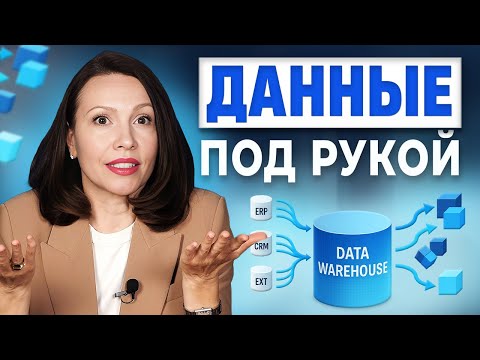
Basic setup: Odoo stores orders, invoices, payments, purchases, and warehouse events. An ETL/ELT process regularly pulls data via API or direct agreed exports, loads it into PostgreSQL/DWH, normalizes reference data, and builds data marts: P&L, revenue, cost of goods sold, margin, debt, and operational KPIs. The BI tool reads the marts, not the raw ERP tables.
This approach reduces coupling. If a report changes, the data mart or transformation layer changes, not Odoo business logic. If a new source appears tomorrow, for example a marketplace or a bank, it is added alongside in the DWH instead of being stitched into the ERP with a one-off custom change.
What to check before launch
First is data access. The official Odoo documentation notes External API limitations by plan, so the integration scenario should be verified before estimating timelines. Second is reference data quality: counterparties, products, departments, revenue and expense categories. If reference data is not aligned, BI will only expose the chaos faster. Third is the reporting owner: the business must define the P&L rules instead of expecting the ERP to create a management model on its own.
Process Takeaway
Odoo should be treated as one of the sources in the management stack, not as the single source of truth for all analytics. The loosely coupled Odoo -> DWH -> BI setup gives management transparent numbers and the IT team a handover-ready solution without modifying the ERP core.