Planning and Budgeting
Spreadsheet budget models, versioning, scenarios, and plan-vs-actual analysis - budget variants can be copied and compared, with data pulled from sales, purchasing, and production.

Explore 1C:ERP features, accounting, industry modules, integrations, and how it compares with other 1C solutions.
"1C:ERP Enterprise Management 2" is an application solution on the "1C:Enterprise 8" platform.
It connects orders, production, purchasing, warehouse operations, finance and HR accounting: operational data can be used to plan resource requirements, calculate costs and prepare reports.
Below are the standard configuration functions, the boundaries of industry extensions and external integrations, and a comparison with 1C:Comprehensive Automation and 1C:Trade Management.
System class definition: see the overview what ERP is in simple terms.
| Solution | When it fits | Standard solution boundaries |
|---|---|---|
| 1C:ERP | Production, work-center loading, materials and order deadlines must be coordinated with finance. | Interdepartmental and intradepartmental planning are available. Prepared bills of materials, standards and capacity data are required. |
| 1C:Comprehensive Automation | You need sales, warehouse management, accounting, payroll and small-scale production accounting in one database. | Production accounting is simpler: verify that the functionality is sufficient using your own production workflow; detailed production planning is a reason to compare it with ERP. |
| 1C: Trade Management | The main focus is sales, procurement, inventory and settlements for a trading company. | Data transfer to 1C:Accounting is available for accounting; full production management is not included in the standard trade configuration. |

| System / layer | Scope of responsibility |
|---|---|
| Finance and treasury | cash flows, payment schedule, loans and borrowings, accounts receivable and payable, liquidity management |
| Regulatory accounting | built-in financial and tax accounting, journal entries based on transaction data, period closing and statutory reporting |
| Planning and Budgeting | operating and capital budgets, scenarios, plan-versus-actual analysis, budget versioning |
| Production and Dispatching | intershop and shop-floor planning, routing sheets, equipment loading, cost accounting, maintenance management |
| Procurement and warehouse | inventory requirements planning, supplier orders, directed storage, receiving and shipping, barcode scanning |
| CRM, marketing, and sales | customers and segments, opportunities, quotes, orders, prices and sales analysis |
| HR and payroll | hiring, transfers, and terminations, shifts and leave, payroll and tax calculations, staffing schedule, piece-rate pay |
Spreadsheet budget models, versioning, scenarios, and plan-vs-actual analysis - budget variants can be copied and compared, with data pulled from sales, purchasing, and production.
At the enterprise level, production, supply and sales plans are coordinated. The interdepartmental schedule distributes stages among departments; intradepartmental management refines execution. Schedule accuracy depends on standards and resource availability.
Asset tracking, preventive maintenance planning, runtime logging, and integration with the production plan.
Standard ERP includes international financial accounting: charts of accounts, transaction translation and financial report configuration. Reporting requires an accounting policy and posting rules; the functional and presentation currencies are set in the configuration.
The 1C catalog separately lists industry ERP versions, modules, extensions and standalone products. For example, construction has an industry ERP and a construction production management module; food companies have solutions for meat processing and dairy plants.
Their presence in the catalog does not mean that these functions are included in the standard ERP package.
Before making a choice, define the specific need—for example, an industry-specific calculation or traceability—and verify it in a demonstration. The solution description should separately specify the product, developer, license, compatible releases and update procedure.
This helps estimate how much configuration and customization will remain for the company's processes.
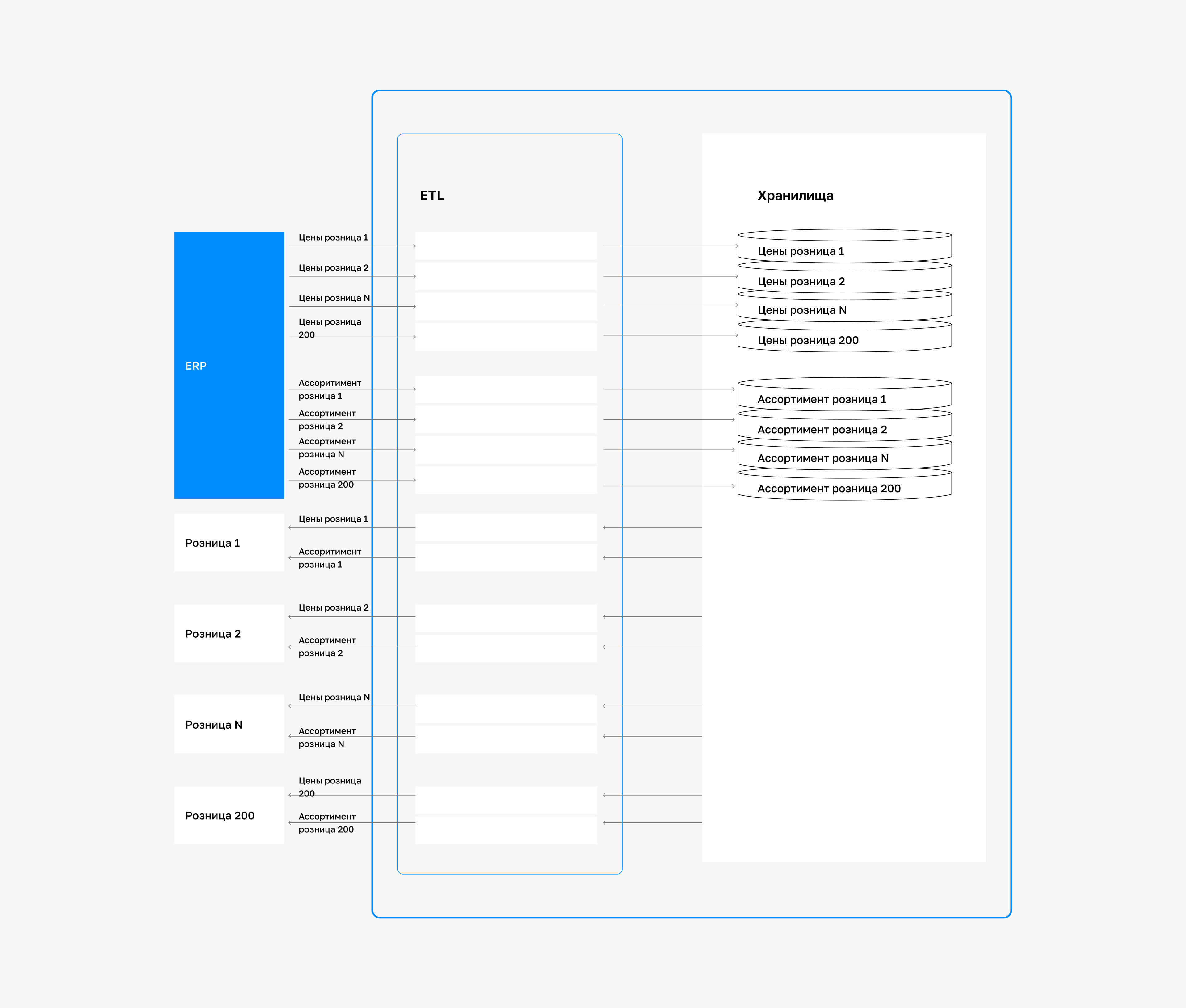
Standard ERP functions, an additional module and data exchange with another system are separate parts of the project.
If accounting remains in a separate 1C:Accounting solution or HR management in 1C:Payroll and HR Management, data exchange and reconciliation must be configured.
This separation is decided during system design. EDI handles document exchange with counterparties and does not replace accounting.
For external CRM, MES, WMS, BI systems and equipment, verify available exchange mechanisms, supported versions and connector-specific limitations. API or ESB is a way to organize data exchange; having an interface does not guarantee a ready-made integration. The project should define data-directory ownership, transferred data, and handling of errors and duplicate messages.
Architecture examples — on the page 1C in the IT landscape.

To justify the project, record baseline metrics: order cycle time, the share of on-time shipments, inventory accuracy and month-end closing time.
Each metric needs an owner, a data source and the same calculation method before and after launch.
Once operations have stabilized, comparable periods are compared, taking order volume, product range and seasonality into account.
Savings are assessed together with the costs of licenses, infrastructure, support and process changes.
This calculation shows the result of a specific implementation; percentages from another project do not determine your company's expected profit.
Business process analysis, automation goals, and staff readiness for change.
System architecture: module selection, process descriptions in ERP terms, and an integration plan.
Reference data, business processes, document forms, access rights, and integrations tailored to the company's specifics.
User training, test launch, and issue resolution.
Full operation across all departments, monitoring, feedback collection, and continuous improvement.

If you are considering a 1C:ERP implementation tailored to your processes, see the page 1C:ERP: Managing Enterprise Resources and Processes.
FAQ
ERP is a separate solution with a different model for production planning and resource management. Moving from 1C: Manufacturing Enterprise Management requires process mapping, data migration and verification of accounting results; it is a separate implementation project.
Accounting specializes in statutory accounting. ERP additionally manages production and resources; its standard configuration includes built-in accounting and tax accounting.
Industry versions and additional products are available for manufacturing, construction, agriculture and other enterprises. Check the specific functions and license composition for the selected solution.
There is no standard timeframe: the plan is prepared after assessing processes, data and integrations. The implementation section describes the stages and acceptance criteria.
Cases
Verification date: 12 September 2026