Simple is not easy

What AI agents are, how they automate business processes, and how they differ from RPA and assistants

Comparing AI agents, RPA and assistants: how they automate business processes and where they deliver the most impact.

  • What an AI agent is and how it works
  • We'll send you the materials you need or a commercial proposal
  • What an AI agent does: 6 key functions in business
  • 1. Sales automation and customer service

Employees spend 60% of their working time on repetitive actions: collecting data, transferring information, and approvals. These tasks slow growth and reduce team efficiency. The solution is AI agents that take on complex processes end to end: they plan the steps, use digital tools, and deliver a finished business result without human involvement. Employees spend up to 60% of their time on routine — AI agents replace entire business processes, cutting costs and speeding up task completion.

Unlike RPA and assistants, AI agents work autonomously: they plan the steps themselves, use APIs, and achieve results without human involvement. Agent-based automation is applied in sales, analytics, HR, logistics, finance, and manufacturing — from recruiting to demand forecasting. CIS cases (Sber, StroyGrad) show conversion growth of up to +18%, a staff workload reduction of up to -35%, and up to 70% of requests handled without human involvement.

Deploying an AI agent takes preparation: a process audit, clean data, a pilot team, and clear KPIs — from lower AHT to higher CSAT and budget savings. We break down what an AI agent does, in which scenarios it outperforms RPA and assistants, which tasks it solves, and how to measure the real value of a deployment.

What an AI agent is and how it works

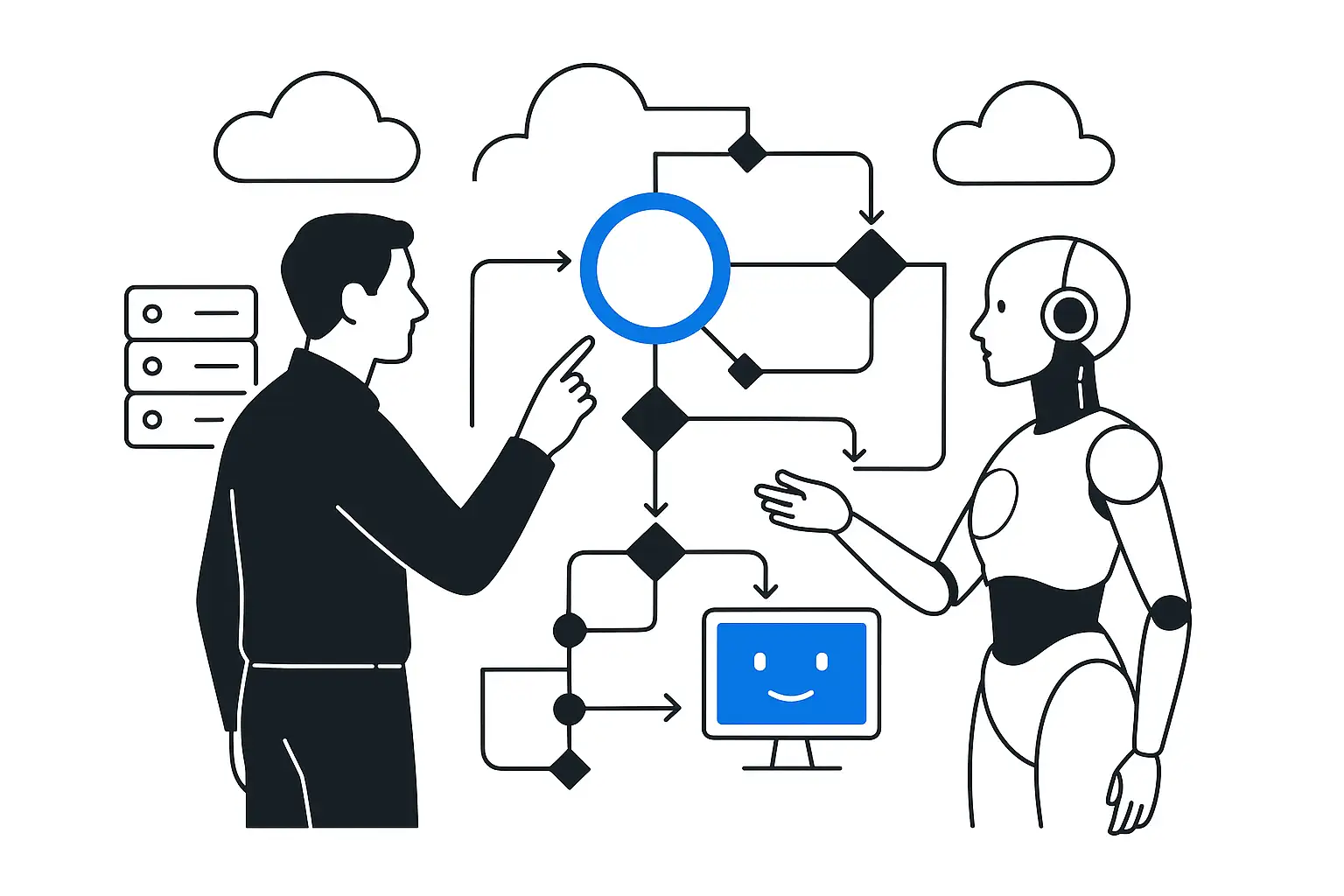
An AI agent is a system based on large language models (LLMs) that solves multi-step tasks on its own. While an AI assistant helps a human (finding information, generating text), an agent acts independently. It receives a general task, breaks it into steps, uses the necessary tools, and delivers a finished result — a report, a calculation, a segmentation, a request. AI agents differ from other solutions in that they work autonomously and flexibly.

Unlike RPA systems, which strictly repeat predefined actions in an interface, an agent decides on its own how to solve a task. Traditional automation stops at any error or deviation from the script. The agent does not: it analyzes the situation, adapts to changes, and proposes another path if the first one did not work. How the agent works on the inside: Planning. The agent breaks your goal into steps itself. You say: "analyze customer reviews."

KT.Team helps enterprise teams with AI, agents, vs, RPA, vs, assistants, business, automation through discovery, architecture, implementation, integration and support.

KT.Team helps enterprise teams with AI, agents, vs, RPA, vs, assistants, business, automation through discovery, architecture, implementation, integration and support.

AI agents, RPA and assistants.AI agents, RPA and assistants.AI agents, RPA and assistants.AI agents, RPA and assistants.
AI agents, RPA and assistants.AI agents, RPA and assistants.AI agents, RPA and assistants.Plans and executes a multi-step task on its own.
ResultAI agents, RPA and assistants.AI agents, RPA and assistants.Executes a business process and delivers a finished result (a request, a completed transaction).
AI agents, RPA and assistants.AI agents, RPA and assistants.AI agents, RPA and assistants.Analyzes context, looks for workarounds.
AI agents, RPA and assistants.AI agents, RPA and assistants.AI agents, RPA and assistants.AI agents, RPA and assistants.

KT.Team helps enterprise teams with AI, agents, vs, RPA, vs, assistants, business, automation through discovery, architecture, implementation, integration and support.

What an AI agent does: 6 key functions in business

According to IBM, by the end of 2025 the share of processes performed by AI agents will grow from 3% to 25%. This means that every fourth business process will run without human involvement. Below are the main areas where the AI agent delivers the greatest efficiency.

1. Sales automation and customer service

The system guides the customer end to end, from the first contact to closing the deal. It processes incoming requests, clarifies the details of the request and checks stock availability in the warehouse in real time. Example: a customer places an order for 100 items. The AI agent checks the stock, applies a discount, generates an invoice and sends a reminder after 2 days if payment has not arrived.

2. Analytics and reporting

The AI agent collects and analyzes data from the company's various systems on its own. It combines information from CRM, analytics systems, and internal databases, then consolidates it into ready-made tables and charts so the manager immediately sees where revenue dropped or orders fell. Example: in 5 minutes the system prepares a revenue report by branch, showing the three leading regions and the reasons for the sales decline in one of them.

3. HR and internal processes

In the HR department, the agent automates initial candidate screening by checking resumes against basic requirements. The system arranges interview dates with applicants on its own, working through the available slots in the calendar. For new employees, the agent answers standard questions about workflows and documents. Example: the agent reviews 200 resumes, selects 10 suitable candidates, and schedules interview times with them.

4. Logistics and procurement

The AI agent forecasts product demand by analyzing historical data, seasonality, and market trends. It adjusts procurement and production plans when demand changes, tracks the movement of goods in real time, and warns about possible delays. Example: the agent analyzes demand, checks current supplies, and finds an additional supplier to avoid a shortage.

We'll curate materials for your task

We'll reply within 30 minutes and send relevant cases, diagrams, or analyses tailored to your context.

5. Financial forecasting and control

The system shows whether there is enough money for purchases, how much will come in from customers, and warns about a possible cash gap. It accounts for seasonal fluctuations, sales plans and the market situation: if actual expenses exceed the plan, the system reports this and suggests where costs can be cut. Example: before the New Year, the agent forecasts a sales spike, advises postponing part of the costs and shows the risks of a working-capital shortage.

6. Manufacturing and equipment maintenance

  1. In manufacturing, an AI agent monitors equipment via IoT systems.

  2. It analyzes sensor data and predicts possible breakdowns before they happen.

  3. The system generates maintenance requests at the right time.

  4. If a work area is overloaded, the agent moves orders to another one — without a dispatcher. Example: the agent detects an overload on one area, triggers maintenance, and shifts part of the orders to another line to avoid losing time. An AI agent helps simplify processes and reduce the team's workload — real savings of time and resources.

1. Sber — deploying an autonomous agent in the contact center

Problem: Sber's contact center handled millions of calls every day. Because of routine tasks (balance checks, card blocking, account information), operators had no time to resolve non-standard customer requests that required empathy and deep analysis. Solution: the bank deployed an AI agent to automate the handling of incoming calls. The agent does not simply repeat memorized phrases — it understands the context of the conversation, asks clarifying questions and independently resolves up to 30% of typical requests (account information or service activation).

Deployment results: — Request automation — voice and text bots independently resolve about 70% of all customer queries. — Call handling speed — the average call routing time for corporate clients dropped 3.5x, down to 18 seconds. — Service quality — the virtual assistant satisfaction index (CSI) reaches 82%, on par with a human operator. — System performance — the system handles

up to 19 million calls per month, and on peak days it independently handles 70% of calls about pension payments. — Industry recognition — based on a Frank RG study, Sber's contact center was named the best in CIS and won awards for the best robotic service.

2. StroyGrad, a property developer — deploying an AI agent for sales automation

Problem: a major real estate developer faced a heavy workload on its sales managers. Customers reached out through the website and social media after hours, but their requests went unanswered until morning. Managers spent 60% of their time answering typical questions about apartment sizes, finishing and promotions. This led to the loss of up to 40% of potential customers at the first-contact stage. Solution: a team of experts deployed an AI agent for real estate development that works 24/7.

The system was trained on a database of all the company's properties, mortgage terms from partner banks and current promotions.

The agent performs the following functions: — Advises customers on the apartment catalog, taking their budget and preferences into account. — Calculates approximate mortgage payments for different banks. — Informs about current promotions and early-booking discounts. — Answers common questions about completion dates, finishing, and documents. — Identifies interested customers and passes their contacts, with the full conversation history, to managers in the CRM system.

Deployment results: — Customer response time dropped from several hours to 10 seconds. — The number of requests handled outside business hours grew by 65%. — The share of qualified leads in the overall flow rose from 20% to 45%. — Booking conversion grew by 18% thanks to prompt contact. — The load on sales managers fell by 35%, letting them focus on working with hot leads.

Both cases show how AI agents solve a key business problem — automating multi-step processes rather than individual operations. As a result, companies handle more requests without growing their headcount, cut service times, and increase conversion, while freeing up employees to work on complex tasks.

Preparing your company to deploy AI agents: a checklist for managers

  1. For an AI agent to truly help the business, proper preparation matters. It reduces risks and helps deliver results faster — in time saved, money saved or revenue growth. A checklist by deployment stage:
  2. Audit your processes. Find repetitive tasks in employees' work that can be automated. The ideal candidate is a process where a specialist spends more than 30% of their time on routine and number crunching.
  3. Assess data quality. Make sure the information in your databases is complete and up to date.
  1. The agent learns and operates on your data, so errors in it will lead to wrong decisions.
  2. Form a pilot team. Assign a manager who knows the business process as the owner, and bring in a technical specialist. This ensures both the business logic and the technical implementation.
  3. Choose a reliable vendor. Look for companies with proven cases in your industry. Ask how they ensure the agent's stability and whether they provide technical support after launch. 5.
03

Launch a pilot project. Pick one non-critical but representative process to test. This lets you assess the real impact and refine the deployment method with minimal risk. 6. Set up monitoring and improvement of the system. Track the agent's key metrics regularly after deployment. You will see where the agent makes mistakes or slows down and can adjust the algorithm right away — without reworking the whole system. Tip: don't try to automate a complex, ten-step process right away.

04

Instead of the entire sales cycle, automate a single task — for example, collecting feedback after a deal. This delivers a quick result: feedback is gathered in 15 minutes rather than 3 hours. The team will see the value, and it will be easier for you to move on to more complex processes. A step-by-step plan for deploying an AI agent will help you reduce risks and get your first measurable result within a few weeks.

Key success metrics

  1. Before starting a project, it is important to define the metrics (KPIs) by which success will be measured.

  2. Tie the agent's work to profit — measure how much money it saves or earns, not how complex its architecture is.

  3. Lower AHT (Average Handling Time): the time spent per request is a direct efficiency metric.

  4. Agents can reduce AHT by 40%.

  5. FTE Reduction: automating 80-90% of routine requests allows companies to reallocate or cut headcount in contact centers and IT support.

  6. This is the key savings metric, which can reach 5 million ₽/year on IT support alone.

  7. Indirect profit: faster response times in retail chains or banks raise satisfaction, which converts into direct revenue. For instance, a 4x faster response time at one chain led to a 3-5% increase in annual revenue.

  8. Higher quality and satisfaction (CSAT/NPS): the faster and more accurately an agent responds to a customer, the higher the chance of a repeat purchase. AI agents that work around the clock and give accurate, fast answers boost customer and employee loyalty. For example, an HR bot at a bank that resolved 77% of requests reached an NPS of 73% and 95% positive feedback.

  9. A clear metrics framework based on economic indicators — from reducing AHT to growing NPS and annual savings — makes it possible to treat AI agent implementation as an investment rather than an experiment, and to assess how the solution brings in real money.

Ethics, compliance and security: responsible AI implementation

  1. Gartner forecasts that by 2026 more than 30% of large companies will have a dedicated AI ethics specialist due to tighter regulation.

  2. Legal requirements for AI are changing rapidly — the EU passed the AI Act (the artificial intelligence law), and in

  3. CIS, a similar regulatory act is being prepared.

  4. Businesses need to build a system for responsible AI use today to avoid fines and reputational losses.

Decision transparency

. Keep a full history of the AI agent's work: what data it analyzed, what conclusions it drew, and why it made a specific decision. This helps resolve a disputed situation quickly — for example, when a bank customer challenges a loan denial. You will be able to show exactly which criteria the system based its decision on and avoid litigation.

Eliminating algorithmic bias

. Check regularly that the system does not discriminate against customers by age, gender, or other attributes. For example, when screening resumes automatically, the system must not lower scores for candidates of a certain gender. Run tests: compare how the agent's decisions change when protected attributes (gender, age) are altered in otherwise identical inputs. Such checks protect the company from lawsuits and reputational losses, especially when working with government clients.

Data protection

. Encrypt the personal data the agent processes and grant access only to employees who need it for their work. Update protection systems regularly and run security audits. This lets you avoid breaches and fines from Roskomnadzor, especially when handling passport data and financial information.

Liability for errors

. Spell out in advance, in your contracts with the vendor, who is liable for AI errors and the related financial losses. Build a simple procedure for customer complaints and set deadlines for handling them. If the agent makes a calculation error — for example, when issuing an insurance policy — you will have a clear plan to fix the situation quickly and compensate the damage. According to research, just 3% of inaccurate data in the training set can cut an AI model's accuracy by 50%.

This is especially critical for credit scoring systems, where data errors lead to unfair loan denials. That is why, before launching an agent, you need to thoroughly check and clean the data, as well as regularly test the system on real-world scenarios. This helps avoid financial losses and reputational risks tied to incorrect algorithm behavior.

FAQ

FAQ

Overview

KT.Team helps enterprise teams with AI, agents, vs, RPA, vs, assistants, business, automation through discovery, architecture, implementation, integration and support.

Business context

KT.Team helps enterprise teams with AI, agents, vs, RPA, vs, assistants, business, automation through discovery, architecture, implementation, integration and support.

Which processes can you hand over to an AI agent?

KT.Team helps enterprise teams with AI, agents, vs, RPA, vs, assistants, business, automation through discovery, architecture, implementation, integration and support.

How long does it take to deploy an AI agent?

KT.Team helps enterprise teams with AI, agents, vs, RPA, vs, assistants, business, automation through discovery, architecture, implementation, integration and support.

How do you measure an AI agent's effectiveness?

Measure concrete metrics: reduced time per task (AHT), lower employee workload (FTE), higher conversion, budget savings, improved NPS or CSAT.

Is it safe to use an AI agent?

KT.Team helps enterprise teams with AI, agents, vs, RPA, vs, assistants, business, automation through discovery, architecture, implementation, integration and support.

Contacts

Let's Discuss Your Project

Leave your current contact details and describe your task. We will come back with clarifying questions and a proposal for the next step.