What this means for business
API integration between systems eliminates "information islands." Data flows freely and stays synchronized across all the tools you use.

How API connects CRM, 1C, and marketplaces, automates processes, and helps you grow without adding staff.
According to a Retail Week survey, 40% of business process issues are linked to manual data transfer. This can be solved with API integration. Here is what API is, what benefits it brings to companies, where it can be used, and how to implement it correctly.
_API (Application Programming Interface)_ is an interface for software interaction that enables information exchange between systems. For business, API is a bridge connecting different platforms, applications, and services.
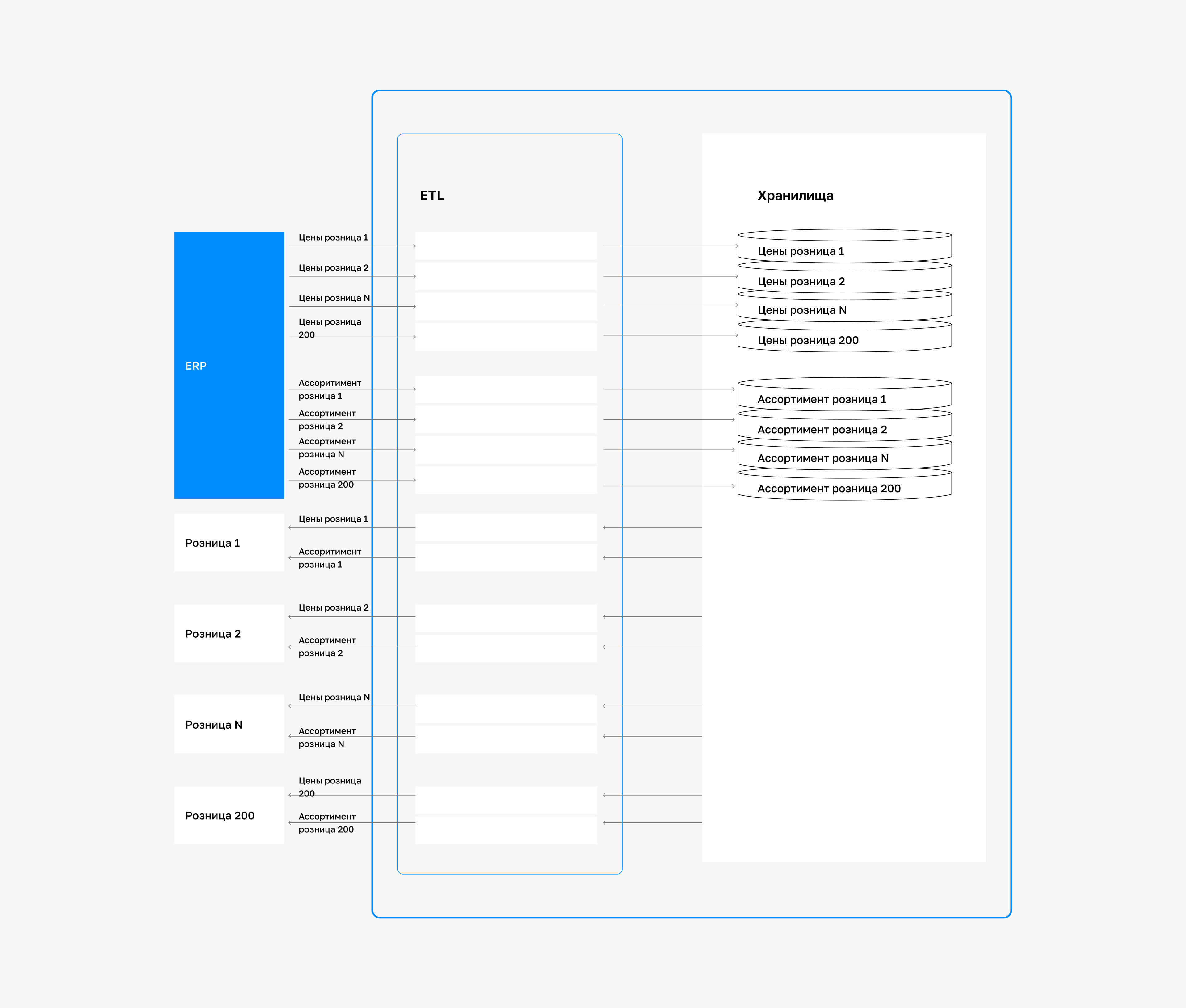
When a new order is created in your CRM, the API automatically sends it to the warehouse system for picking, then to the delivery service for shipping, and after completion updates the status in the CRM and passes the data to the accounting system for invoicing. The entire process is automated, instant, and error-free.
API integration between systems eliminates "information islands." Data flows freely and stays synchronized across all the tools you use.
Effective implementation requires selecting the right API interface. It is important to study its documentation, test it, and ensure security. The process takes resources, but pays off through higher productivity and lower costs.
Implementing API is a strategic business tool that addresses key challenges: - Routine automation:API makes it possible to automate repetitive tasks (for example, adjusting inventory stock or sending notifications to customers). - Scalability: Businesses can quickly connect new services without having to rebuild existing systems. - Ease of interaction:Compatibility with in-demand solutions (social networks, card payment processing) improves customer convenience. - Access to data and analytics: API helps collect data from different sources, which improves decision-making. Important! Companies that ignore API risk falling behind competitors because their processes may be less efficient. According to McKinsey, organizations that use digital technologies, including API, are 20-30% more likely to become leaders in their industries.
Using API brings organizations real benefits that affect financial metrics: - Cost reduction: Task automation reduces labor costs and minimizes errors. - Profit growth: Adding new capabilities leads to growth in the customer base. - Faster time to market: Integration with ready-made services enables the fast launch of new products. - Better data management: API provides centralized access to data, simplifying analytics. - Higher customer satisfaction: Fast and convenient services, such as instant payments, increase loyalty.
| Benefit | Business impact |
|---|---|
| Cost reduction | Savings on staff and operations |
| Revenue growth | Attracting new customers and increasing average order value |
| Faster time to market | Fast launch for new product lines and services |
| Better data management | Improved analytics quality and decision-making efficiency |
| Customer satisfaction | Increased loyalty and customer retention |
Understanding API types helps businesses choose the best solution. REST - a standard for web services (cloud CRM, marketplaces). Easy to develop and cost-effective. Your benefit: fast connection of sales channels. SOAP - a strict standard for enterprise systems (banks, the public sector). Reliable, but more complex and costly to maintain. Risk: high costs for simple tasks. GraphQL - flexible data requests (mobile apps, advanced analytics). Lets you retrieve only what you need.
Benefit: faster interface loading -> higher conversion. The choice of API type affects development speed, costs, and process efficiency, which is critical for competitiveness.
API integration applies across a wide range of business areas: - E-commerce:
Connecting payment systems, warehouse management, and integration with logistics services. - CRM and ERP systems:
Automation of customer management and resource management. - Social networks:
Content publishing, review monitoring, integration with user profiles. - Mobile apps:
Access to data and services from mobile devices. - Internet of Things (IoT):
Device management and data collection. - Financial Services:
Transaction processing, integration with banking systems. - Media and entertainment:
Content delivery, subscription management. - Education:
Access to educational resources, management of learning processes.
Problem: A trading company sells through its own website and 3 marketplaces. Manual inventory updates lead to _oversell_ (selling out-of-stock items) on one channel while the product sits unsold on another. Customers get frustrated, cancel orders, and the company’s reputation suffers.
Manually creating marketplace orders in 1C takes hours. Solution: Integration of marketplace APIs with WMS (warehouse management system) and 1C through an integration platform. Result: Inventory is synchronized in real time across all channels, preventing oversell. Orders are automatically sent to 1C and the warehouse. Processing time for marketplace orders is reduced from hours to minutes. Fewer errors and returns. Higher sales thanks to product availability and faster response times.
Company: A major American credit card issuer. Problem: The existing API request handling system added 500 ms of latency to each request, slowing transactions and causing revenue loss. In finance, where billions of transactions are processed every day, even a small delay can cost millions of dollars. Solution: The issuer implemented an API that optimized request processing. Result:Latency dropped to 10 ms per request, exceeding the target by 85%.
This made it possible to process billions of transactions in real time, improving efficiency and recovering lost revenue.
Implementing API integration is not just a technical task, but a business project. The right approach ensures fast payback and helps avoid costly mistakes. We have created a step-by-step guide to help you integrate API without unnecessary costs or errors.
Before starting technical implementation, clearly define which processes you want to automate. For example, do you need to synchronize data between the CRM and the warehouse system? Or connect a payment gateway to speed up transactions? Make a list of business processes that need optimization. Identify which systems must interact.
This will help you choose the right APIs and avoid unnecessary development costs. Example: If you are a product supplier, integrating marketplace APIs with your ERP system will automatically update stock and orders, reduce processing time, and eliminate errors.
Every API has documentation. It describes its capabilities, methods, data formats, and limitations. Find the documentation on the websites of the services you plan to integrate with.
Pay attention to: - Endpoints: request endpoints (for example, to retrieve order data or update status). - Data types:JSON, XML, or other API-compatible structures. - Authentication: API keys, OAuth tokens, or other protection methods. - Limitations: request limits to avoid being blocked. Tip: if you are integrating a marketplace API, check whether it supports bulk data export or work with specific product categories.
For integration, you can use ready-made platforms or custom development. The choice depends on your budget and task complexity: - Ready-made platforms. Platforms like _Zapier, Make (formerly Integromat), or Apigee_ are suitable for quick integration without deep technical expertise. They offer visual interfaces and ready-made templates for popular services. - In-house development.
If unique logic is required, you can hire developers to build a custom solution in Python, JavaScript, or other languages. It is more expensive, but more flexible. - iPaaS. Platforms such as _MuleSoft or Dell Boomi_ are ideal for complex B2B integrations where many systems need to be connected. Tip: for companies with large data volumes (for example, distributors), we recommend iPaaS solutions. They provide scalability and data flow management.
Security is a critical factor. Make sure the API uses secure protocols (HTTPS) and authentication methods. Store keys in a secure place, such as encrypted vaults, and restrict access to them. Set up role-based access so only authorized employees can work with the API. Example: if you integrate a payment system API, configure short-lived tokens and renew them on time. This minimizes the risk of leaks.
Before launch, test in a sandbox environment provided by most APIs. Check: - Correct data transfer between systems; - Error handling (for example, what happens if the API server is unavailable); - Compliance with request limits; - Speed and stability. Tip: test the integration on a small data set, for example by syncing 10 orders, before scaling it to the full flow.
After successful testing, deploy the integration in production. Set up monitoring: - API service availability (uptime). - Response speed. - Number of errors. - Automatic alerts (in Slack, Telegram, email) when failures occur. Fast response to issues minimizes business impact. Monitoring is insurance for your investment.
After deploying the API, collect feedback from staff and customers. Analyze which processes can be improved and add new APIs as the business grows. For example, connect analytics tools for data processing or additional sales channels. Example: if you have integrated API for one marketplace, add other platforms over time to expand your reach. By following these steps, you can effectively embed API into your processes.
To make integration useful rather than a headache, keep in mind: 1. API documentation quality and availability.
Clear and complete documentation from the API provider is the key to success and faster development/configuration.
2. Data security.API keys, authentication tokens (OAuth), and data encryption (HTTPS/SSL) are required. Make sure the API provider and integration solution comply with security standards (for example, PCI DSS for payments). 3. API reliability and stability.
Learn about the API provider's availability.
Frequent outages or API changes without notice can paralyze your processes. 4. Monitoring and alerts.
Implement tools to monitor integration uptime and instantly alert on failures. 5. In-house expertise or a trusted partner:
Ensure your team has the expertise to develop, configure, and support integrations, or choose an experienced integration contractor.
According to a Retail Week survey, about 40% of integration issues are linked to a lack of internal expertise. 6. A clear understanding of business processes.Integration should reflect and improve real business workflows.
Start with process analysis and optimization _before_ technical implementation.
Today, API integration is an accessible and powerful tool for any business. Companies gain: - Significant savings on manual work and error correction. - Faster key business cycles and cash flow. - Customer satisfaction and loyalty. - Flexibility to adapt quickly to the market and launch new initiatives. - Greater competitive advantage through speed and service quality.