How ERP helps a construction company control projects, costs and resources and increase profit

How ERP helps construction companies control projects, costs and resources, and improve profit and management transparency.

  • Why construction companies need ERP
  • Tasks and functions of ERP in construction
  • Construction work management
  • Supply and procurement of materials

To manage construction projects effectively, it is important to see up-to-date data on costs, timelines, and resources. But without a unified system, it is difficult to gather this information: data gets out of sync, decisions are made late, and mistakes are costly. We explain how ERP helps organize data, which functions bring real value to the business, and how to implement the system without mistakes.

Why construction companies need ERP

ERP for a construction companyis a system that brings the work of all departments together in one application. Accounting, procurement, project managers, site supervisors, and executives all work in it.

Everyone uses the same data.

Overview

How ERP helps construction companies control projects, costs and resources, and improve profit and management transparency.

  • ERP for a construction company.
  • ERP for a construction company.
  • ERP for a construction company.
  • ERP for a construction company.
  • documents

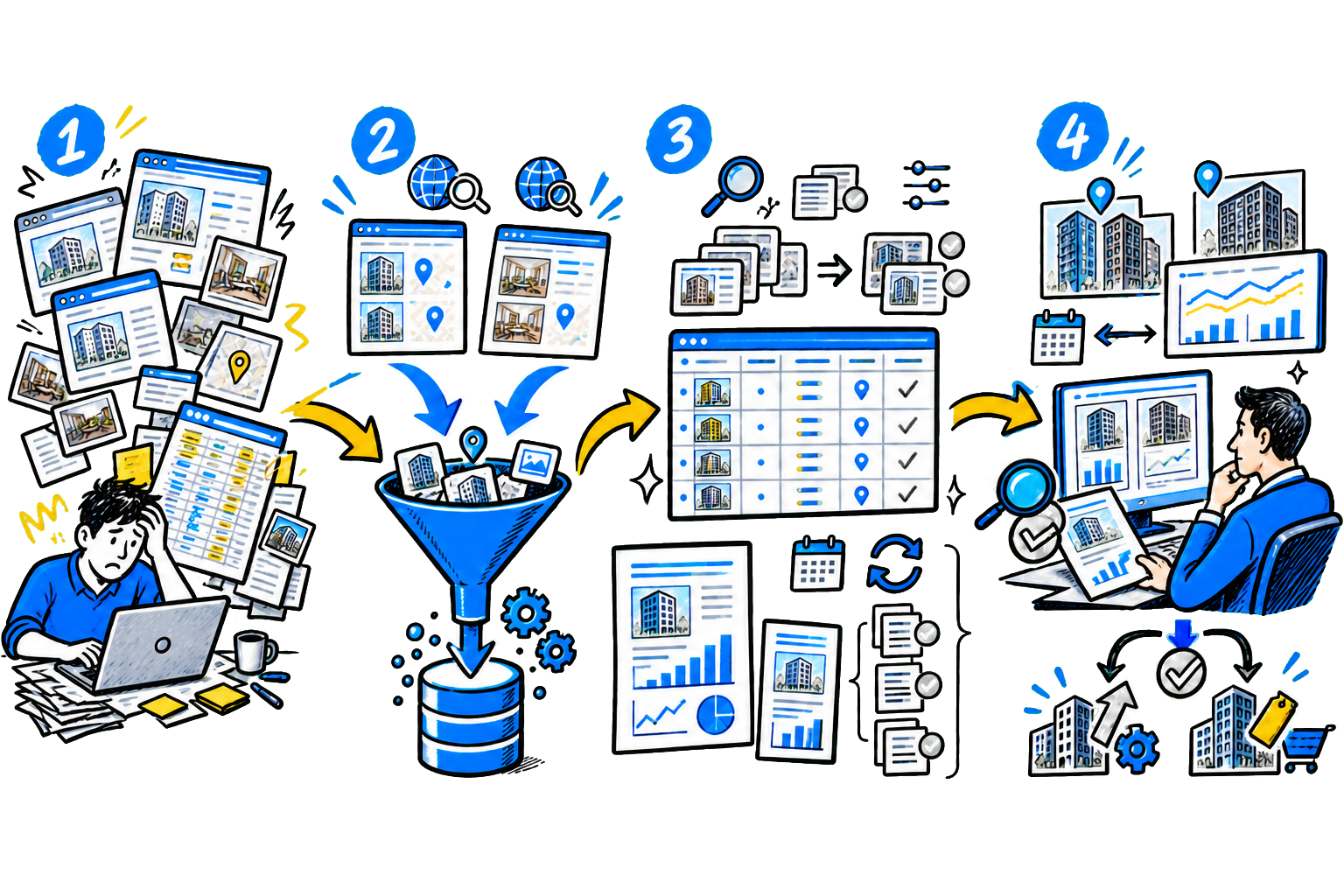
The manager spends time reconciling information and tries to assemble the full picture manually. ERP solves this problem: The system collects data on sites, finances, materials, and work in one place. ERP shows at which site the costs arose, who incurred them, and at what stage of the project this happened.

In addition, the software accounts for the specifics of the construction industry: - long project cycles; - subcontractor work; - complex logistics for materials and equipment; - simultaneous work at multiple sites.

Industry-specific ERP for a construction company also supports requirements PBU 2/2008 for tracking long-term contracts, helps plan work schedules, and automatically prepares documents: KS-2, KS-3, KS-6, M-29.

Generic systems usually do not cover these tasks.

Tasks and functions of ERP in construction

Let's look at which tasks ERP solves and how it helps manage projects, resources, and finances at different stages of construction.

Discuss your challenge with an architect

Construction work management The system stores work schedules by site. The project manager can create several plan options and compare them. If deadlines change, the system recalculates the schedule. Based on the plan, it creates assignments for crews and shows employee workload. Business benefits: crews work without downtime, and the manager responds to delays faster. ERP calculates material requirements for procurement and purchasing based on the work schedule.

The system takes warehouse stock into account and creates supplier requests. Materials can be sent directly to the construction site if a central warehouse is not needed. Business benefits: the company does not tie up money in excess inventory and does not halt work because of material shortages. Equipment and fuel accounting ERP helps plan equipment and vehicle operations. The system records routes, fuel consumption, and vehicle utilization.

Waybills and transport requests can also be generated. Business benefits: equipment operates more efficiently, and management notices fuel overruns faster. Project finances and budget The system keeps financial accounting by site, work stage, and cost item. Managers can see planned versus actual spending for each project.

The system shows how much it costs to build one square meter and which cost items are growing fastest. Business benefits: the organization controls cost price and finds unprofitable projects faster. Working with contracts and subcontractors ERP stores contracts with contractors and tracks funding limits. The system reminds users about act closing deadlines and shows settlements.

It also accounts for retention money and work stages. Business benefits: the company avoids duplicate payments and closes documents faster. Employee accounting The system allocates payroll by site and records where and how much each employee worked. HR keeps personnel records and prepares reports in the system. Business benefits: management understands the real labor cost for each project.

Sales and customer management ERP stores a customer database, helps plan deals, and tracks accounts receivable. Management can see how many contracts are in progress and which projects will bring in revenue soon. Business benefits: the company has better control over incoming cash. ERP functions that directly affect profit - Material consumption control. The system compares standard consumption with actual write-offs at the site. If consumption exceeds the norm, the manager sees the deviation immediately.

This helps quickly detect accounting errors, overspending, or misuse of materials. Procurement planning for specific sites. ERP assigns materials to specific projects and work stages. If stock runs low, the system creates a supplier request and tracks the delivery. The company always knows which materials were purchased and on which site they are being used. Cash flow control. The software shows the planned revenue and upcoming payments.

Management can see in advance whether there will be enough funds for salaries, procurement, and contractors. This helps avoid cash gaps and plan the project budget more accurately. Automatic closing of work stages. ERP generates KS-2, KS-3, and completed work certificates based on data from the construction site. The documents are prepared faster, so the company closes stages sooner and gets paid by the customer faster. Project profitability analysis. The system shows the financial result for each site.

The business sees revenue, actual expenses, material costs, and contractor payments. The company understands which projects generate profit and which reduce profitability.


ERP integration with BIM/TIM and preparation for tax monitoring

ERP has long handled accounting and cost control. But today, systems are starting to take on more complex tasks. Two of them are especially important for construction businesses: working with a BIM/TIM model and preparing data for tax audits.Let's look at how this works in practice and what value the company gets. ERP integration with BIM/TIM: connecting the project with the actual construction site. BIM or TIM is a digital building model.

  1. It stores not only drawings but also data on structures, materials, work volumes, and construction schedules. If ERP is connected to BIM models, the system pulls data from it automatically. When the project changes, the software updates immediately. Here is how this works in practice:
  2. The designer changes parameters in the model, such as the concrete grade or structural thickness.
  3. BIM records the change. 3.
  1. ERP recalculates work volumes and material costs.
  2. The system updates purchase requests.
  3. The delivery schedule is adjusted.
  4. The project manager sees the updated work plan. Without integrations such changes go through a long approval chain.

When ERP works together with BIM, the system updates data immediately - crews receive the current work plan, and procurement buys the needed materials. According to the Ministry of Construction, since 2024 the use of BIM became mandatory for sites funded from the budget.This means that contractors working on public contracts simply cannot do without ERP and BIM integration - otherwise, they will not physically have time to recalculate estimates manually for every project change.

Discuss your challenge with an architect

How ERP helps you prepare for tax monitoring Tax monitoringis a mode in which a company gives the tax service access to its accounting systems. Inspectors review data remotely, so on-site audits are usually not conducted. To work in this mode, the business prepares a special section in the system - data mart. It stores primary documents, contracts with contractors and clients, site expense data, and HR records.

ERP helps automatically collect and structure this data. The system stores documents in one place and checks that the set is complete. If any documents are missing, it shows that immediately, reducing the risk of errors during tax audits. Note that the tax authority checks whether companies actually performed the work and supplied the materials. Inspectors look not only at contracts and acceptance acts, but also at the actual work performed on site.

For example: - completed work logs; - employee access passes to the construction site; - concealed work certificates; - training and authorization logs. If the documents show that a contractor was paid but its employees never appeared on site, the tax authority may deem such a counterparty fictitious - the organization risks losing expenses and VAT deductions. ERP helps avoid such situations.

The system records work at the site and stores supporting data: - who worked on site; - when the work was performed; - which materials were used; - which acceptance documents were signed.

ERP implementation stages for a construction company

Implementing ERP for a construction company is not just about installing software. The business changes how it works: it unifies processes, cleans up data, and starts managing projects based on numbers. Let's break down how to go through this step by step without losing money on mistakes. 1. Define goals and problems Companies often keep records in different systems: sales in CRM, procurement in Excel, finance separately.

As a result, it is hard to quickly get a complete picture of the site. Check: - where data is lost; - which processes slow down projects; - where overruns and errors occur. Define specific goals: reduce material waste, control cost, speed up stage closing, and bring order to contractor management. What it delivers: you clearly understand which system you need to implement and do not overpay for extra features. 2.

Choose the system and partner Once the goals are clear, move on to choosing the ERP and integrator. Look not only at the system's features, but also at the partner's experience. It is important that they have already implemented ERP in construction and understand how projects, procurement, and subcontractor work are structured. Do not choose a system with excessive capacity or, on the other hand, an overly simple solution - match it to the size of the business and its tasks. What it delivers: you avoid costly customizations and get a working result faster. 3.

Configure the system to match your processes At this stage, the team defines how the software will work and configures the core modules. It is best to start with the key areas: procurement, cost accounting, and work control at sites - then connect the remaining functions gradually. It is important to show employees a demo version of the system. This helps them understand in advance how their work will change and point out inconvenient issues before launch. What it delivers: you launch the solution faster and do not overwhelm the team at the start. 4.

Test the system and train employees. Before launch, check how the ERP works in real workflows and train employees at the same time. Many people are used to working in Excel and are cautious about new tools, so it is important to explain why the system is needed by showing its value in day-to-day work. After launch, monitor how specialists use the ERP and help them settle in. What it delivers: the team starts working fully in the system and does not duplicate data in spreadsheets. 5.

Launch a pilot and scale it first. Start ERP on one site or in one department. This will let you test the system in real use and find weak spots without risking the whole company. During the process, collect user feedback: where the software is inconvenient, which data is missing, and which processes need improvement. After that, you can scale the solution to the remaining projects. What it delivers: you reduce risks and implement the system without disruptions. 6.

Continue developing the system after launch. Implementation is not the end of the work. Business changes, and the system must change with it. Add new reports, refine processes, and connect new modules. Assign an employee to be responsible for ERP development inside the company. What it delivers: the solution continues to deliver value and help the company grow instead of becoming a formal accounting tool.

How to choose a system To choose ERP for a construction company, do not rely only on presentations and feature lists. Compare systems by key criteria and check how they solve your tasks in practice.

CriterionWhat to checkWhy it matters
Construction experienceDoes the integrator have real construction projects?
Does it handle KS-2, KS-3 and accounting for long-term contracts?
A partner will configure the system for construction faster
and help avoid common mistakes
Single databaseDo all modules work in one system, or are they separate programs?A single database eliminates data duplication
and reduces the number of errors
Integration with BIM/TIMCan the software receive data from the model
and update estimates?
You recalculate estimates faster and do not lose the link
between the project and the construction site
Data securityCan the system be deployed inside the company?
Does it meet regulatory requirements?
You control information and reduce risks
when working with government contracts
Convenience for the construction siteIs mobile access available?
Is it convenient to enter data right on site?
If the site supervisors find it inconvenient,
they will not work in the system
Delivery formatIs cloud right for you, or do you need an on-premises installation?
on your own servers?
You choose between a fast launch
and full control over the system
Deployment speedCan the system be tested on one site
within a few months?
You test the solution without major risks
and costs
Total costHow much not only the license costs,
but also implementation, training, and support?
You understand the real costs in advance
and stay within budget

Case study: how the ESKM corporation brought order to data and project management

  1. Situation: The ESKM corporation builds nuclear power plants and runs major energy projects with distributed teams and a large workforce.

  2. Over time, the company's accounting system could no longer handle the demands of long construction projects: data on sites, supply and finances stayed fragmented, which complicated control and slowed decision-making.

  3. "Construction company management" and brought the office and construction sites together in one system. ERP collects data on materials and work, automates requests and procurement, controls logistics, equipment and finance, and also supports work with the tax authority in the format of tax monitoring. Results: -

  4. Reduced the time spent checking completed work reports by about 25%.

  5. Accelerated management reporting so leadership gets data faster.

  6. We brought all departments together in a single information space. -

  7. Simplified process control from procurement to reporting.

  8. Reduced the burden of tax audits by switching to tax monitoring.

FAQ

FAQ

How long does ERP implementation take?

If you launch the system on one site, the pilot usually takes 2-3 months. A full transition in a company with several departments and sites takes from six months to a year. After launch, it is worth allowing a few more months for the team to get used to the system and for you to fine-tune the processes.

Can we work with multiple sites in different regions at once?

Yes, ERP for a construction company is designed for distributed projects from the start. The system tracks each site as a separate direction: you can see contracts, expenses, payments, and work for each one in a single database. This makes it possible to manage all construction sites from the central office without losing control.

How does ERP help control materials?

The system calculates needs based on standards, assigns materials to a specific site, and compares plan with actuals. If consumption exceeds the norm, it is visible immediately.

Is it mandatory to implement a complex system, or are there simpler options?

The choice depends on the size of the business. Large companies more often deploy the system on their own servers to maintain full control over the data. Mid-sized businesses choose cloud solutions: they are easier to launch, require no hardware purchase, and can be paid for by subscription.

How to connect ERP with other programs?

The systems exchange data easily with other programs. You can upload estimates, automatically generate a work plan, and pass information to accounting. In many cases, financial accounting is already built in, so there is no need to duplicate data.

What should you do if employees do not want to work in the system?

The key is not to force adoption, but to show the value. Explain which tasks the software simplifies and walk through real work scenarios. When employees see that they no longer need to calculate and consolidate data manually, they switch to the new system faster.

When does ERP start to pay off?

Most often, the system pays for itself in 1.5-2 years. Savings come from more accurate purchasing, less downtime, faster stage closure, and fewer accounting errors. The sooner a company starts using data to manage operations, the sooner it sees results.

{{cta}}

Discuss the article: How ERP helps a construction company...

Send via: