How a CRM system helps property developers eliminate losses, speed up deals, and cut costs by up to 15%

How an industry CRM helps property developers reduce lead loss, speed up deals, connect sales with 1C, and cut costs.

  • What a system for real estate developers should be like
  • Required industry-specific features
  • Property management tools in CRM: from cadastral data to the client
  • Customer database management (collection and segmentation)

Developers lose up to 40% of potential customers every day because of simple mistakes: a manager forgot to call back, a lawyer delayed documents, outdated data ended up in the database. These hidden losses do not show up in reports, but they add up to millions of rubles every year. We explain how an industry CRM calculates the exact cost of these losses, tracks every contact, and improves conversion while reducing operating costs by 10-15%.

Discuss your challenge with an architect

What a system for real estate developers should be like

In real estate, the cost of acquiring a single lead (CAC) often reaches tens of thousands of rubles, and the sales cycle lasts for months. In this environment, losing an inquiry or making a mistake in client communication directly leads to a significant loss of profit.

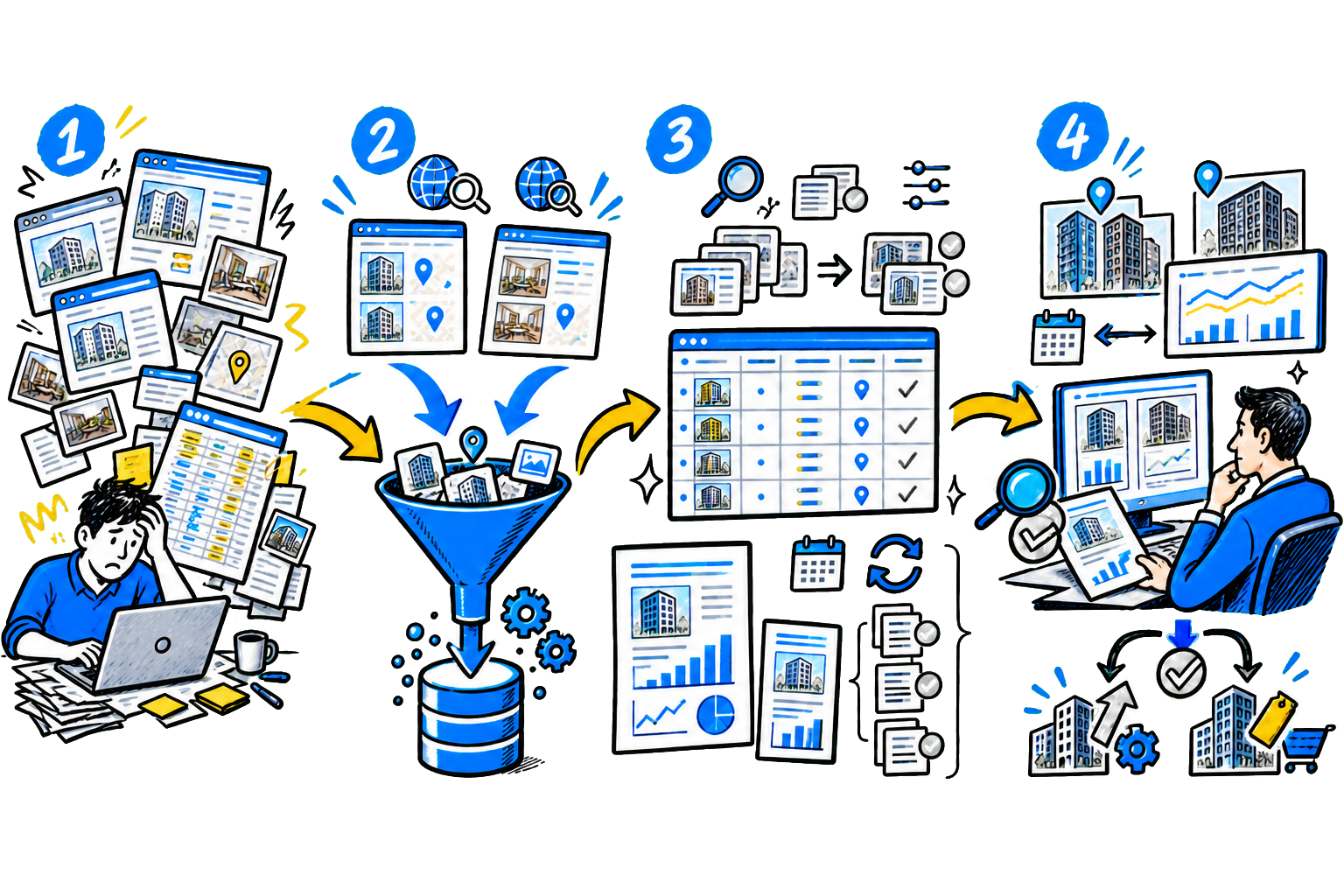
The problem is that without a unified system, it is almost impossible to manage the sales process: requests get lost in email, employees spend time on routine tasks, and management cannot see accurate deal data in real time. A modern system for real estate developers - This is a specialized CRM that unites sales, marketing, legal, and operations teams in a single information space.

It does more than store data - it creates a clear process from the first inquiry to contract signing and ongoing support. System purpose - track every contact, automate routine work, and give managers analysis tools to improve conversion and reduce operating costs.

Required industry-specific features

The system must be flexible enough to adapt to the developer's unique processes and reliable enough to protect the data of thousands of clients.

An effective platform has specialized modules that solve specific operational tasks: - Visual property management ("Availability grid") - The software automatically generates floor plans for all buildings and sections.

Apartment statuses are color-coded: available, reserved, sold.

In one minute, the manager can find a suitable option for the client and reserve it.

Management sees property occupancy in real time

- Automation of document workflows and payments - DDU generation: the platform automatically inserts the property and customer data into the contract template.

This cuts document preparation time from several hours to 10-15 minutes and eliminates typos. - Integration with banks - The specialist sends a mortgage approval request directly from the deal card.

The application status and the bank's preliminary decision appear instantly in the system, without manual data entry. - Payment and settlement control - The software creates a payment schedule for each contract and tracks its execution.

If a payment is overdue, it creates a task for the manager to contact the client, which reduces the volume of unpaid bills and lowers cash flow gap risks. - Task management for the construction team - The system creates tasks for operations, legal, and technical teams tied to specific deals or properties. For example: "prepare the handover certificate for apartment No. 1".

This prevents leads from being lost and makes execution easier to control

- Homebuyer portal - The platform includes a customer portal. There, the client can see current photos and videos from the construction site, the payment schedule, and the document preparation status.

This reduces sales department inquiries by 30-40% with questions like "How is construction going?" and "When is the next payment?". Important!

Effective construction project management requires not only sales control, but also monitoring of actual progress on site. Construction work control system provides accurate data on project readiness: the developer tracks schedule compliance in real time, monitors work quality, and makes prompt adjustments.

Property management tools in CRM: from cadastral data to the client

The main advantage of an industry CRM is its ability to manage a developer's unique asset: real estate properties. Customer database management (collection and segmentation) The initial stage is data collection and storage.

The CRM system captures leads from all acquisition channels: the website, aggregators, social media, and telephony. - Customer profile: contains the full interaction history - calls, messenger conversations, apartment views on the website, and funnel stages. - Automatic segmentation: the software assigns clients to categories (for example, "Mortgage", "1-bedroom apartment", "Investor") to personalize offers. - Integration with the business ecosystem: Without deep integration with partner and government systems, the CRM will not reach its full potential.

This connection eliminates duplicate data entry, reduces errors, and speeds up all business processes. Key integrations for a developer:

Integration typeWhat problem it solves
With official websites and portals (Cian, Avito)Automatic updating of the property catalog, forwarding requests to the CRM.
With partner banks (Sber, VTB, Dom.RF)Online mortgage inquiry and approved amount calculation directly from the client card.
With electronic registration systems (Rosreestr)Submitting documents for state registration without visiting a public service center.
With call centers and messengersRecording all calls, automatic lead capture from WhatsApp/Telegram chats.
With accounting systems (1C)Synchronizing payment and contract data.

Launching marketing campaigns automatically. The system helps the developer spend ad budget more effectively by identifying the highest-performing channels. The system allows: - Track the customer journey from ad click to document signing. The company sees which acquisition channel actually brings in revenue and which wastes budget. - Set up email sequences and SMS notifications to warm up leads: invitations to site visits, information about new offers, congratulations.

Deal management A real estate deal is a long and complex process. The CRM sales funnel clearly reflects every step. Typical developer sales funnel stages: - New lead → Qualification (needs assessment) → Apartment selection → Reservation → DDU preparation → Mortgage → Deal (DDU signed). - Automated stage transitions: the platform moves the deal to the next stage on its own and assigns a task to the manager (for example, "Call back in 2 hours to confirm mortgage details"). This prevents deals from being lost at long stages.

Reporting and analytics The head of sales and the director must see the full business picture online. The platform provides reports that help the developer: - Forecasts sales:based on current deals and historical conversion, the system predicts how many apartments will be sold by the end of the month. - Evaluates employee performance: the software automatically counts calls, deals, and revenue for each manager.

These figures can be used to build a motivation system and identify training needs. - Monitors plan execution: comparison of planned and actual sales performance.

Discuss your challenge with an architect

How to choose the right system

A developer chooses a CRM to solve specific tasks: stop losing leads, prevent selling the same apartment to two customers, and control finances. The table compares popular CRM systems for developers by key criteria.

SystemFunctionalityPriceSupport
SberCRMSales funnel, visual unit management, Kanban boards, website builder.Custom pricing, depends on the scale of the project.A dedicated manager and help configuring the system for construction workflows.
Aspro.CloudProject management, construction progress tracking, finance, sales funnel.Free plan (basic features), paid subscriptions from RUB 1,500 per user per month.Online support, documentation, and help with integration with 1C and telephony.
Bitrix24Sales management, tasks, projects, combined calls and email in one window.Free plan (up to 12 users), paid plans from RUB 1,900 per user per month.Knowledge base, chat support, paid setup consultations.
MacroCRMEnd-to-end sales automation - from lead to handover of keys.Pricing on request, usually from RUB 2,000 per user per month.Implementation support and help integrating with the website and interactive displays.
ALTIUSFinancial control, budget planning, management accounting, CRM.Custom pricing for large companies.End-to-end implementation with employee training and technical support.
SmetterWorking with estimates, controlling construction budgets, procurement management.Free plan (limited), paid plans from RUB 1,000 per user per month.Knowledge base, email support, consultations on working with estimates.

What to consider when choosing: - Integration with existing tools - Clarify how the system will connect to your website, telephony, and property portals. For example, the CRM should automatically create requests from leads from CIAN and Avito. - Convenience for managers - Test the software interface with the team. Managers should be able to find the needed functions quickly without constant help from support.

A simple system will reduce training time and improve work efficiency. - Solution scalability - Assess whether the system can handle business growth. If you plan to increase the number of projects, make sure the CRM can support 500+ lots and 20+ users without failures. - Support quality - Check support hours and how long issue resolution takes.

The ability to get urgent support during business hours is critical - if issues occur, the system must not paralyze sales for several days. - Total cost calculation - In addition to the monthly subscription fee, factor in the initial investment. The developer pays for tailoring the solution to its workflows, team training, integration with external services, and technical support during the first month of use.

System implementation using a new developer as an example

Let's look at a step-by-step plan for a company entering the market with two residential complexes (economy and comfort class) and planning to sell 100 lots in the very first year.

1. Audit and goal setting (1 week)

The developer holds a meeting with the heads of marketing, sales, and construction. During the meeting, they document current processes: how requests come in from the website, who handles calls, how apartments are reserved, and how documents are prepared. They define specific CRM goals: increase request processing speed by 50% and increase conversion from 15% to 25% in 6 months.

2. Choosing a contractor (7-10 days)

The developer analyzes market offerings, compares systems by functionality and cost. The company signs a contract with a contractor specializing in CRM for real estate developers.

3. System setup and data migration (2-3 weeks)

The contractor configures the sales funnel to match the developer's process: "Inquiry → Call → Presentation → Reservation → Equity Participation Agreement Processing → Deal". The company uploads the apartment catalog from Excel to create a visual unit matrix in the system. Specialists set up automatic task creation for managers when new inquiries arrive.

4. Employee training (5-7 days)

The company provides hands-on training for managers on using the system. Training is based on real cases: handling incoming inquiries, working with objections, and reserving an apartment. First, the system is tested at one of the residential complexes to identify and fix issues before full launch.

5. Launch and support

After launch, the developer appoints a person responsible for working with the system. The IT specialist monitors technical issues, and the head of sales controls data completion by managers.

6. Analysis and support (ongoing)

Two weeks after launch, the developer reviews CRM reports: how many leads were lost at the "Callback" stage and which managers have low conversion. At weekly meetings, the team reviews the current sales funnel status and collects suggestions for improving the system. Factors for successful implementation: - Involve the head of sales from day one. They should define the setup tasks, not an IT specialist.

Without an active role from them, implementation fails in 90% of cases. - Start with core processes instead of trying to automate everything at once. First, set up the sales funnel and lot management, then add advanced analytics and integrations. - Motivate the team to use the system. Show managers how the CRM saves them time on reporting and helps them avoid losing clients. Introduce KPIs that depend on working in the system. - Calculate the total cost of ownership.

Consider not only the monthly license fee, but also one-time costs for setup, custom development, and training.

Implementation practice: real cases from CIS companies

Vira Construction Company had difficulties managing sales.

Managers manually transferred data from different sources, compiled reports, and searched for customer information.

There was no unified inquiry tracking system, which caused many requests to be lost and made the sales process opaque.

To solve these issues, the company implemented a platform Bitrix24. As a result: -

Specialists started saving 1.5-2 hours per day thanks to automatic task generation. -

Request processing time decreased from 20 to 7 minutes. -

Call duration with customers decreased by 30% without any loss of quality. -

Sales funnel became transparent - Now the progress of each deal is visible. -

Conversion from inquiry to sale increased by 15%

Our experts helped a developer with a portfolio of several residential complexes in two regions solve sales management issues.

The company worked with fragmented data across offices, the website, and the call center - leads were lost, apartment statuses were not synchronized, and there was no analytics on advertising channel performance.

We implemented a _single CRM system_ that unified all sales channels and automated key processes.

The solution included an inventory management module, automatic inquiry assignment, and document templates for mortgage deals. Results 3 months after implementation: -

Customer duplicates decreased from 12% to 2.1%. -

Request processing time decreased from 20 to 7 minutes. -

Automatic document generation reduced the workload on lawyers by 40%. -

Document returns for registration decreased from 14% to 3%. -

Conversion from inquiry to deal increased by 18%. -

Management received accurate data by the effectiveness of advertising channels.

Legal specifics: CRM and working with Federal Law 214-FZ

Digitalization of construction helps developers fully comply with regulations Federal Law No. 214-FZ. Companies implement not only CRM, but also specialized digital solutions for construction management. The developer gains end-to-end control over the entire project lifecycle, from document preparation to project handover. The system reduces legal risks and creates a solid foundation for business growth.

Below are key CRM functions for meeting the requirements of Federal Law No. 214. - Automatically generates the DDU from an approved template - the CRM checks the contract against legal requirements before printing. - Monitors property statuses and blocks the sale of apartments with an active reservation. This prevents double sales and violations when reserving lots. - Integrates with escrow accounts in partner banks - the platform matches incoming payments against the construction financing schedule.

If there are discrepancies, the system notifies the responsible employees. - It collects the full history of communication with homebuyers: messages, calls, and document approval stages.

This history serves as evidence in case of disputes. - It forms the register of shared-construction participants for submission to regulatory authorities - the system automatically prepares reports in the required formats and by the required deadlines. According to Rosreestr statistics, in 2024 67% homebuyer requests are linked to violations in equity participation agreement processing.

Automating document workflows reduces such risks by 3-4 times.

Discuss your challenge with an architect

Discuss the article: How CRM helps developers...

Send via: