SSO and service catalog in 2 months
- SSO and a contractor service portal launched in 2 months
- Support workload decreased
- Contractor onboarding sped up

How a construction management system helps control timelines, budget, contractors and documents in one environment.
Every construction company aims to deliver projects on time and without overspending. In practice, this depends on how accurately the business controls deadlines, budget, contractors, and documents. Without a single system, data diverges - and with each stage, the project becomes harder to manage. We explain how a construction management system brings project information together, shows deviations in deadlines and costs, which functions really matter, and how to choose a tool that will deliver measurable results.
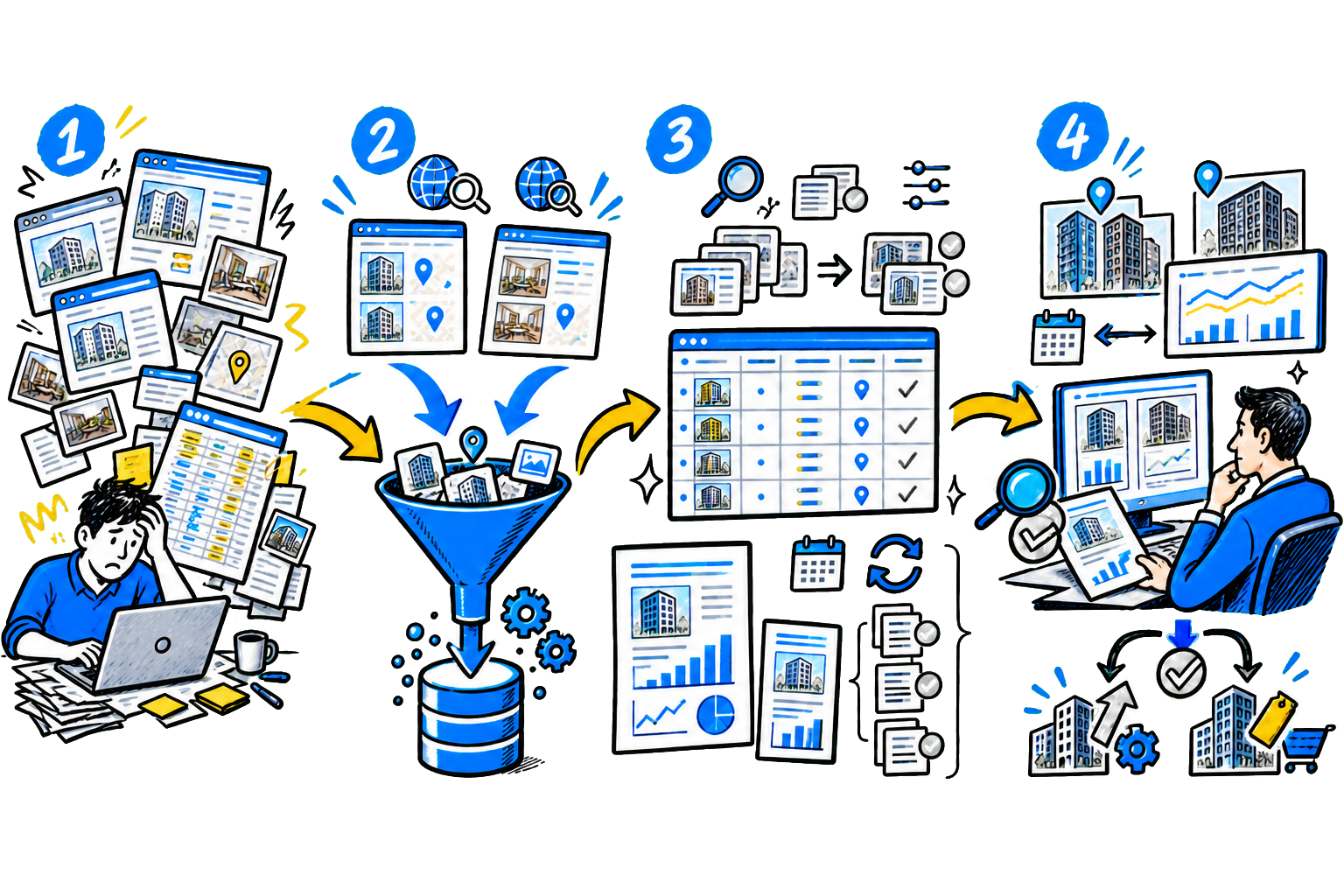
Construction Management System is a digital tool that helps a developer, general contractor, and technical client control a project from planning to handover. It brings together schedule, budget, resource, and quality data in one place and shows the real project status at any moment. In short, a construction management system replaces Excel files, chats, and paper archives.
All participants work in one environment and see current data. The foreman does not use an outdated drawing, the client does not wait weeks for reports, and management immediately sees deviations from the plan. What a construction management system consists of The software brings together several key modules, each solving a specific task:
| System component | What it does | Business value |
|---|---|---|
| Timeline planning | Builds work schedules and shows task dependencies, highlights the critical path. Recalculates deadlines whenever anything changes. | Helps avoid missed deadlines and highlights risks in advance and gives time to adjust the plan. |
| Resource and budget tracking | Tracks materials, equipment, and specialist workload. Links costs to specific tasks. | Lets you control costs during the process, not after. Reduces overruns and waste. |
| Documents and approvals | Stores all contracts in one place and keeps versions and records changes. Generates reports based on actual data. | Eliminates file confusion and speeds up approvals and reduces the risk of mistakes caused by outdated data. |
| Quality control | Records site issues: photos, tasks, Deadlines and owners. Shows fix status. | Helps resolve defects faster and maintain quality under control without extra reports. |
| Analytics and Reports | Collects project data and shows key metrics: Deadlines, budget, work progress. | Management gets the full picture and makes decisions based on actual data, not assumptions. |
The solution's functions directly affect project results: schedule, budget, and quality. Let's look at the core capabilities without which the system cannot solve business tasks.
1. Schedule planning and Gantt chart The system builds the work schedule based on the estimate and the sequence of stages. It shows which tasks depend on one another and highlights the critical path - the chain of work that determines the handover date. The Gantt chart helps quickly assess the situation: where there is delay and where planned deadlines are slipping. If input data changes - for example, a delivery is delayed or a stage shifts - the software recalculates the schedule immediately.
It is also important that modern solutions can handle large projects: thousands of tasks in one schedule, up-to-date deadline forecasts, and recalculation based on actual progress. Benefits:management sees not just the plan, but the real state of the project, and can quickly adjust actions. 2. Budget and contracts The system links the estimate, contracts, and actual expenses, showing how much has already been spent, which tasks have been closed, and where overspending appears.
If the total of reports exceeds the contract amount, the software records it and prevents payment without review. This reduces the risk of overpayments and mistakes. What the system does: - keeps a list of contracts with contractors and suppliers; - controls limits for each contract; - tracks completed work; - generates closeout documents; - shows the difference between plan and actual; - forecasts the final project cost. Benefits: the company controls money during the process instead of dealing with overspending after the work is finished. 3.
Documents and a single data environment The system stores all documents in one place - project participants work with current versions and do not waste time searching for files. What is stored in the software: - design and working documentation; - work logs and reports; - contracts, estimates, and invoices; - photos and videos from the construction site; - remarks and minutes. The system records every change: you can see who uploaded a document, who opened it, and what changed.
Documents can be signed with a qualified electronic signature, eliminating paper entirely. Benefits: fewer document losses, faster approvals, fewer disputes between project participants. 4. Quality control and site supervision The engineer records issues directly on site: adds a photo, marks the location, assigns a task and a deadline. The contractor immediately gets a notification and sees what needs to be fixed. You can compare the actual state of the facility with the design using photos, video, or scan data.
The solution shows: - a list of all issues; - their completion status; - responsible people and deadlines; - reports on work quality. Benefits: issues are resolved faster, and work quality is monitored without extra reports and calls. 5. Resources and deliveries The software helps plan materials, equipment, and workforce utilization. It shows what is needed on site and when.
What you can do: - create material requests based on the work schedule; - track stock levels and deliveries; - plan equipment and crew utilization; - analyze actual consumption. Benefits: less downtime due to material shortages and fewer unnecessary purchases. 6. Analytics and dashboards The system collects project data and displays key metrics in a convenient format. Managers do not need to review reports manually.
The screen shows: - work completion percentage; - budget variance; - forecast completion date; - problem areas and contractors; - productivity trends. Benefits: management makes decisions faster and runs the project based on facts.
The market for construction management software in CIS is growing rapidly: according to Strategy Partners, from 2020 to 2024 it grew from $1 billion to $1 billion, and by 2027 it could reach $0 billion with annual growth of 8-10%. After foreign vendors left, CIS solutions took a significant share of the market - their share rose from about 30% to 70%. Below are the main solution classes.
Project management information systems (PMIS) PMIS are used on large construction sites and in projects with government participation. Such systems cover the full cycle: from planning to commissioning. They take regulatory requirements into account and help organize work according to established rules. PMIS speeds up document handling: the system stores all versions, records changes, and makes it possible to approve materials quickly.
The client gets transparency into costs and work status, while the team gets clear processes with less manual work. ERP systems for construction companies ERP help manage not only construction, but the entire company, bringing finance, procurement, warehouse, HR, and projects together in one place. The system shows how much the organization earns on each project, where costs are rising, and how resources are loaded.
Management sees not only construction progress, but also the financial result: profitability, cash gaps, and how effectively equipment and labor are being used. In other words, ERP helps reduce losses through transparency: you can see where overspending happens, where equipment sits idle, and where resources are used inefficiently. This makes it possible to make decisions faster and keep the business under control.
Specialized construction management systems focus specifically on construction: they help manage schedules, resources, and quality without extra features that do not affect execution. The software builds schedules, tracks task progress, and highlights deviations. It helps identify which work affects the delivery date and where risks arise. A manager can quickly adjust the plan and reallocate resources.
In addition, the system analyzes actual data: how much work has been completed, how many resources were used, and where delays occurred. The company can do more than record problems - it can predict them in advance, reducing the risk of missed deadlines and overspending. CRM for construction companies CRM help manage sales and customer interactions. They record inquiries, deals, and customer journey stages, from the first contact to handover of the site.
The system shows how many inquiries have come in, how managers handle them, and where customers are lost. Management sees the sales funnel and can manage the department's workload to avoid losing potential deals. In construction, CRM is often used more broadly: it tracks sites, records agreements, monitors deal stages, and manages interactions with unit buyers. This helps the company speed up sales, reduce errors, and make customer work predictable.
Low-code Platforms Low-code Platforms let you configure the system for your processes without lengthy development. The organization decides which data to track, which processes to automate, and which reports to receive. This is useful when standard solutions do not fit, for example when a company has an unusual contractor workflow or complex approvals.
Instead of customizing an off-the-shelf system, you can build the required logic inside the platform. As a result, the organization launches digital processes faster and does not depend on development contractors. Cloud services Cloud solutions are suitable for companies that need to start quickly without major investment. The system runs over the internet, so there is no need to set up infrastructure or buy servers. Such services cover basic tasks: work planning, task control, resource tracking, and simple analytics.
Cloud solutions are convenient for small companies and contractors. They deliver quick results: the team starts working by common rules, and management gains visibility into timelines and stages without complex implementation. Let us compare popular construction management systems by key aspects:
| System | Solution type | What it covers in the business | Who it's for |
|---|---|---|---|
| 1C:ERP Construction Organization Management | ERP | Brings together projects, finance, procurement, warehouse, and HR. Helps control project finances and see profitability and reduce overspending. | Medium and large construction companies, developers with multiple projects |
| Project Lad | Construction Management System with Analytics | Builds work schedules, calculates deadlines, forecasts deviations, shows resource utilization and budget. Helps manage the site portfolio from a single window. | Developers and companies with a large number of projects |
| Pragmacore | CRM + project management | Brings together sales, projects, and documents. Allows you to control deals and construction progress and team workload in one system. | Companies that need to connect construction and sales |
| Digital Construction Management (DCM) | PMIS | Provides control over deadlines, documents, and compliance. Simplifies reporting and reduces the risk of errors during audits. | Large holdings and projects with government participation |
| Sarex | Construction control system | Shows the actual state of the site through photos, video and scanning. Helps identify deviations and control quality without constant site visits. | Large construction sites and industrial facilities |
| Megaplan | CRM + tasks | Helps manage clients, tasks, and communications. Allows you to keep the team’s work under control and interaction with contractors. | Mid-sized and large businesses, general contractors |
| Gectaro | Construction Management System | Helps calculate estimates and control materials, track tasks and record completed work. Provides transparency into costs and timelines. | Small and medium-sized companies, contractors |
| Bitrix24 | CRM + business management | Brings together sales, tasks, documents, and communications. Speeds up request handling and helps build internal processes. | Companies of any size, especially those focused on sales |
How to choose a construction management system 1. Features for real-world tasks. The software must solve key problems: missed deadlines, overspending, and errors. It is important that it builds a schedule with a critical path, links timelines, budget, and actuals, controls documents, and provides analytics. If it only works with the plan, it will not be useful. 2. Integration with existing tools. The system must exchange data with accounting, estimates, and project software.
Check the API, automatic data export, and integration of finance, schedule, and documents. Without integration, duplication and errors will appear. 3. Scaling and configuration. The system must adapt to company growth and process changes. It is important to be able to add modules, configure reports, and change processes without involving developers. If every change requires custom work through contractors, costs will quickly rise. 4. Data and security. The software must protect financial and project data.
Check where the data is stored, who has access to it, how backups are organized, and whether the system can be deployed on premises. For large projects and companies with state participation, this is a mandatory requirement. 5. Convenience for the team. The system must be clear for everyone involved, from executives to site supervisors. Employees should be able to start quickly, use the mobile version, and enter data even with unstable internet.
If the system is inconvenient to use, the team will ignore it. 6. The vendor and its experience. It is important to consider not only the product, but also the company that implements and supports it. The vendor should have construction industry experience, be ready to help configure processes, and respond quickly to requests. 7. Implementation cost and timeline. Evaluate not only the license price, but also the costs of deployment, setup, employee training, and technical support. It is important to understand when the system will start delivering results.
A long implementation while current problems remain can slow the business and increase losses.
Situation:GC "New City" is building three residential complexes in different parts of the city. Inquiries came from the corporate website, contextual ads, and social media. The sales team handled requests via email and messengers. This caused problems: some inquiries were lost, managers responded late, and customer data was stored in different places. Contacts were copied into Excel manually, so it was impossible to track the communication history and deal status.
Management did not understand which advertising channels brought in buyers and which ones only consumed the budget. Conversion from inquiry to reservation contract stayed at 12%, while the cost of acquiring a deal kept rising quarter by quarter. Solution: the partner team implemented a specialized CRM system for developers with integration of all traffic channels and BI analytics.
The team connected all lead sources to one system: the website, ads, email, and messengers. Every inquiry began flowing automatically into the CRM with the source and UTM tags recorded, making it clear which channels brought in customers. The website forms were simplified and adapted for mobile devices, which increased the number of valid inquiries. The CRM assigned each lead to an available manager, who began calling within 3-5 minutes.
Management received dashboards with conversion, cost per lead, team workload, and deal status, while reports were generated automatically. Result: - Response time for inquiries dropped from 2-3 hours to 7 minutes. - Lost and forgotten inquiries disappeared - all requests are logged in the system. - Contract conversion rose from 12% to 16.2% thanks to faster response and sales manager oversight. - The company turned off ineffective ad channels and reallocated the budget. - Cost per deal acquisition fell by 22%. - Management began to see team workload and deal progress in real time. - Report preparation time dropped from 4 hours to 15 minutes.
The CRM helped the developer get a clear picture of sales and marketing. Every lead is now recorded in the system, and the budget is shifted toward channels with proven performance. Conversion increased without expanding the sales team, and the investment in the system paid off through lower costs and more deals.