How integrating CRM, 1C, marketplaces, and other IT systems speeds up business and cuts costs

How to connect CRM, 1C, warehouse and marketplaces into one IT system, speed up processes and cut costs.

  • Integration: essence
  • Types of integration: which one to choose and why
  • 1. Connecting legacy systems (Legacy)
  • 2. Internal system integration (EAI)

When a company has several IT systems, from CRM to warehouse platforms, it is impossible to manage the business in real time without integration. Separate services need to be brought together into one system where data flows automatically and processes run without disruptions. We will look at the main integration scenarios, the right methods and tools, and provide a detailed plan for integrating 1C with marketplaces and CRM. All of it, with examples and numbers.

Integration: essence

Today, even a small business rarely gets by with just one application: CRM, 1C, ERP, warehouse management services, marketplaces, and EDI systems all run separately. Each has its own database and interface. Without connections between them, employees have to constantly switch screens, manually transfer data, and reconcile reports. That is slow, inconvenient, and error-prone. The essence of integration - unite disconnected IT systems into a single environment with automatic data exchange.

An order placed on the website goes straight into CRM, then into 1C and the warehouse system, with no manager involved. As a result, processes speed up, errors decrease, and routine work disappears.

Types of integration: which one to choose and why

The integration solutions market is growing at double-digit rates: according to analysts, by 2032 its volume may exceed $1.5 trillion, and the average annual growth rate will be 15,4%. Below, we will look at the main integration scenarios. 1. Connecting legacy systems Many companies still use systems built decades ago. They are stable and important for business processes, but only weakly compatible with modern solutions.

Replacing such systems entirely is expensive and risky, so modern interfaces are more often added _(for example,__REST API__)_without changing the main code.

This makes it possible to integrate legacy software with new services while preserving the existing business logic. For the business, this means: protection of IT investments, a smooth transition to a modern architecture, and continuity of critical processes. Example: in a logistics company, an API connected to a legacy system automatically sends data to the customer portal, so delivery statuses are updated in real time. 2.

Internal system integration (EAI) Organizations often run dozens of systems: _CRM, ERP, warehouse, finance, HR._ Without integration, employees spend a lot of time manually entering and checking data. EAI automates data exchange between applications and makes processes end to end. For the business, this means: less manual work, faster customer service, and accurate data without email back-and-forth. Example: in a manufacturing company, ERP and the warehouse were connected: orders from the CRM were automatically sent to the shipping system, without managers' involvement.

Order processing time was reduced by 40%. 3. Connecting cloud services (SaaS) To improve efficiency, businesses connect cloud services such as email, marketing, analytics, and online cash registers. Integration most often happens through API.

The company automatically sends leads from advertising to CRM, invoices from 1C to EDI, and shows stock levels on marketplaces. For the business, this means:expanded capabilities without starting from scratch, fast rollout of new features, lower maintenance costs. Examples: - a lead from Facebook Ads goes directly into the CRM; - invoices from 1C are sent automatically to EDI; - stock balances are synchronized with marketplaces (Ozon, Wildberries) without manual upload. 4.

B2B Integration and EDI This type of integration automates work with counterparties such as suppliers, logistics providers, and retail chains. The EDI (Electronic Data Interchange) standard enables secure exchange of electronic documents such as orders, shipments, and invoices. For the business, this means: fewer errors, less paperwork, and a faster order → shipment → payment cycle. Example: a food distributor connected EDI with national retail chains.

Now orders and shipments go through without calls or email, all through automated channels.

Discuss your challenge with an architect

5. Cloud integration (iPaaS) With the move to a hybrid IT infrastructure, where some systems are in the cloud and others on servers, the need for seamless integration has emerged.

This task is handled by iPaaS platforms, which provide ready-made connectors and tools for configuring data flows in the cloud. For the business, this means: fast integration without infrastructure changes, easy scaling, and less dependence on internal resources. Example:at an e-commerce company, warehouse software, CRM, and a marketing platform were connected through iPaaS. This made it possible to launch campaigns automatically based on order status and customer behavior. 6.

Data Integration When the goal is to collect all data into a single repository for analytics and reporting, Data Integration is used.

Information comes from CRM, ERP, websites, and Excel files - it is cleaned, structured, and loaded into storage (DWH) or a Data Lake. For the business, this means: a single source of truth, accurate management decisions, and the ability to connect BI and AI tools. Example: the retail chain implemented a single dashboard for sales, stock, and advertising spend.

This helped reduce purchases of unprofitable items in time and increase margins.

Integration methods: how to choose the right one

The choice of method affects not only project cost, but also ease of maintenance, operational stability, and scalability. The table below shows the main approaches and their use cases.

Integration MethodWhat it isUse case
Point-to-pointDirect connection between two systems. Fast implementation, minimal cost.
Poorly scalable: the architecture becomes complex as new systems are added.
Suitable for targeted tasks: CRM + email campaigns, 1C + marketplace.
VerticalIntegration of systems involved in a single process, from order to shipment.
Simplifies control and optimization.
Manufacturing companies, retail: you need to build a full cycle "from raw materials to the customer".
Star-shaped (ESB)All systems connect to a single integration bus or hub.
Simplifies relationship management and reduces the load on each system.
Large companies with dozens of IT applications and a complex architecture.
HorizontalConnecting similar systems to each other, such as branch offices.
Provides common standards and reporting.
Retail chains, banks, and telecom companies with regional structures.
Integration through a unified data formatA unified exchange language for all systems.
New participants connect through an adapter to a shared format.
Suitable for working with many partners, the public sector, and distributed organizations.

How to choose the right method Answer three key questions about your project: 1. How many systems do you want to connect, and how will needs grow? - For connecting two systems with a clear task, simple point-to-point integration is a good fit. - If there are 3+ systems or the project will grow, it is better to build the architecture around a bus (ESB) from the start to avoid support issues. 2. What is the goal? - Need to connect processes end to end? Choose vertical integration. - Need to standardize branch operations?

Horizontal integration is a good fit. - Standardization and easy onboarding of new participants matter? Consider a single data format. 3. What resources does your IT team have? - Point-to-point integration is easy to implement, but expensive to scale and maintain. - Adopting a star model or a single format requires more expertise upfront, but pays off in the long run through lower management costs.

Integration tools and technologies

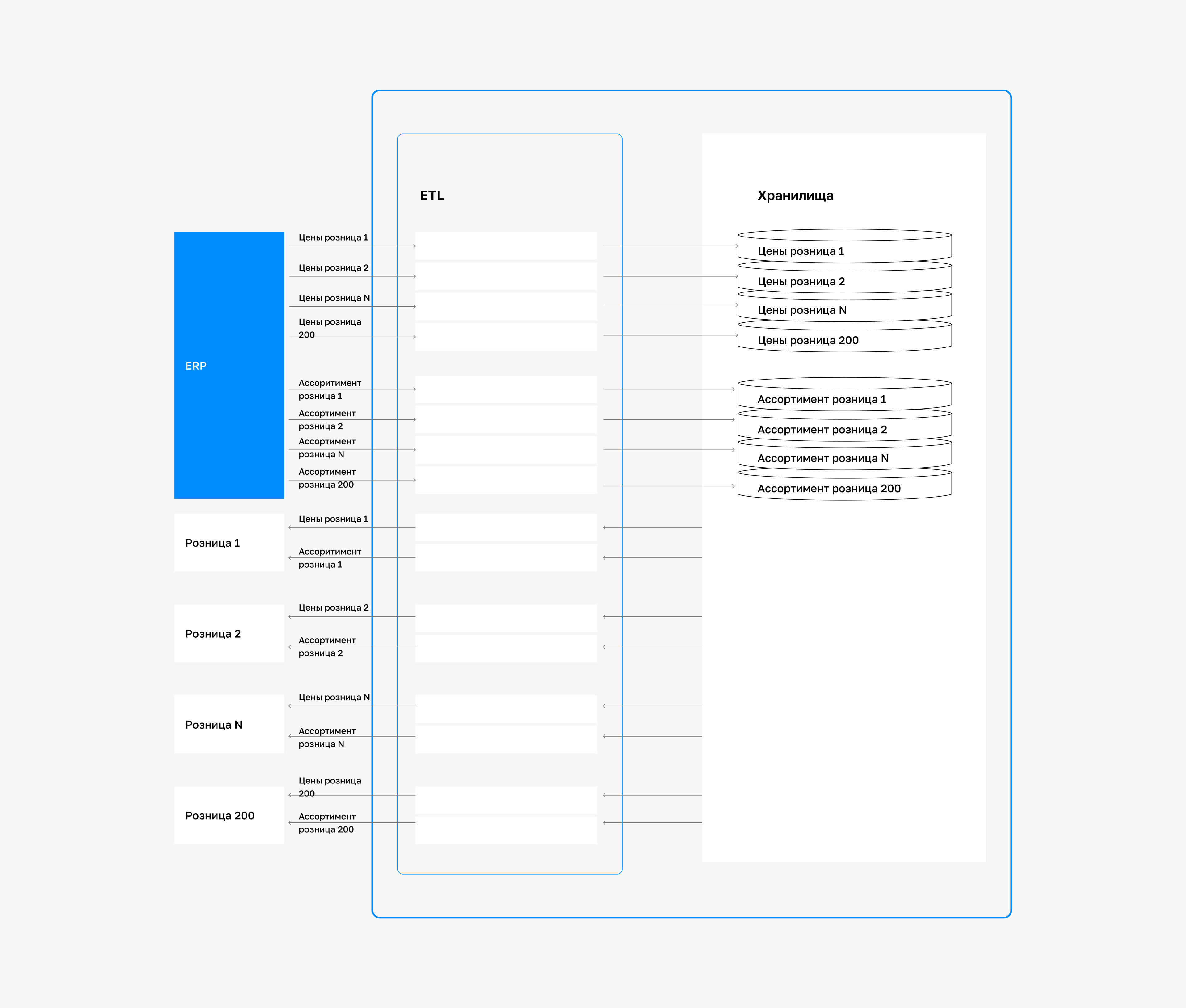
Integration tools _automate data transfer, speed up decision-making, and simplify processes._ Let's look at the main technologies and what they do. ETL and ELT Both methods are used to prepare and load data into analytical storage. - _ETL (Extract, Transform, Load):_ data is processed first and then loaded into storage.

Suitable for tasks where clean, structured information is needed from the start, such as accounting reports or management analytics. - _ELT (Extract, Load, Transform):_ raw data is loaded first, and processing happens inside the warehouse. This is effective when working with cloud platforms where fast access to information is required. Data virtualization lets you access data from different systems without physically moving it.

Suitable for fast access to up-to-date information from multiple sources without creating a separate repository. For example, a manager can see sales from the CRM, warehouse stock, and receivables from 1C on one dashboard, without copying data into a BI system. API integrations: API is the standard way to "connect" different applications. For example, the CRM automatically receives orders from the website, and the support service gets information from 1C.

This approach is used everywhere, from e-commerce to internal enterprise systems. iPaaS platforms, or integration platforms as a service (Boomi, Talend, Jitterbit, Informatica), make it possible to quickly set up interaction between cloud and on-premises systems. They are often used to connect SaaS services without having to build custom modules. Benefits: visual builders, ready-made connectors, centralized integration management.

Discuss your challenge with an architect

Centralized data bus (ESB) ESB - this is an intermediate layer between systems through which data is transferred. The bus handles routing, format transformation, and security control. It is relevant for large companies with dozens of systems - adding new components does not require rebuilding the entire architecture.

Microservice architecture The system is split into a set of independent modules, each handling one task (for example, "payments" or "notifications"). Services "communicate" through APIs. This is convenient for companies that actively develop IT products: new features can be deployed and tested without risking the rest of the system.

How to choose a tool The right solution depends on the task: - _Need to consolidate data for reports_ - use ETL or ELT. - _Need to connect cloud services quickly_ - use iPaaS platforms with ready-made modules. - _Need fast access to information without creating copies_ - consider data virtualization. - _Complex IT structure with dozens of systems_ - ESB is the better choice. - _Need a flexible architecture and fast feature updates_ - a microservices approach will help you scale without disruptions.

1C integration with marketplaces and CRM: a step-by-step plan

  1. _1C Integration with Marketplaces and CRM_ - one of the most common requests from trading companies.

  2. We prepared a step-by-step plan for this integration using the example of a supplier with multiple marketplaces and a CRM system. 1. Define integration points.

  3. First, you need to understand which data is sent where: from 1C to marketplaces, products, stock, and prices; from marketplaces to 1C, orders and statuses; between 1C and CRM, customer, deal, payment, and return information.

  4. This is the basis for coordinated system operation without manual input. 2. Review the technical requirements.

  5. You need to verify the marketplaces' and CRM APIs: data formats, request limits, and synchronization methods. Requirements vary by platform, and these constraints should be accounted for before development begins. 3. Choose an integration architecture.

  6. For simple scenarios, direct API integration or a ready-made 1C module will work.

  7. If there are multiple systems and scalability is needed, it is better to use an iPaaS platform. 4. Set up data exchange.

  8. At this stage, the catalog is exported from 1C, automatic order creation is configured, and order statuses are updated in the CRM based on stock levels, VAT, and warehouse operations. 5. Run testing.

  9. Test the integration on a copy of the database: add a product, place a test order and track the full processing cycle.

  10. This helps identify errors before launch. 6. Set up monitoring.

  11. After launch, it is important to monitor errors, track API changes, and provide manual workflows for temporary outages.

Do you need an integrator?

If you work with only one marketplace and have an experienced developer, you can implement the integration yourself using ready-made 1C modules. For example, standard solutions are available for popular 1C configurations such as "Accounting" or "Trade Management." But if: - you have multiple marketplaces; - you need CRM integration; - you use complex logic (different legal entities, custom pricing rules, nonstandard logistics) - we recommend bringing in integrator.

This way, you save time, reduce the risk of failures, and can build a resilient architecture that can scale.

Case study: how "LogistikGroup" set up a unified data platform and cut costs

Company: "LogistikGroup" is a CIS warehouse and transport logistics operator. Problem: isolated operation of IT systems - WMS, TMS, CRM, and 1C were not connected to each other.

Information was transferred manually, through Excel exports and email, which slowed down processes and caused errors. Solution: the partner team implemented _an integration bus (ESB)_ - a single data exchange channel for all systems.

This enabled automatic real-time synchronization.

At the same time, a _Data Lake_ was deployed to aggregate historical data from all systems.

Based on it, experts built an analytics platform for reporting and forecasting. Results: - -65% time spent on data reconciliation between departments - by eliminating manual spreadsheets and duplicate data entry. - -25% operating costs - delivery routes are now calculated automatically in TMS based on fresh data from WMS and CRM. - Invoice errors reduced from 8% to 0.5% - manual entry was replaced by automated exchanges. - +40% faster report preparation for customers, data is pulled automatically from the Data Lake based on specified parameters. - +4 new services connected via ready-made ESB connectors: the EDI system and customs declaration module were integrated in 2 weeks instead of the usual 2 months.

Integration risks and data protection

Integration expands business capabilities, but it also increases digital risk. The more systems are connected, the higher the security requirements. According to studies, in 2024 spending on risk management increased by 14%,and the number of incidents involving external partners by 45%. The table lists the key threats and practical security measures.

RiskWhat can happenWhat to do
Poor data qualityErrors spread across all systems: duplicates, incorrect invoices, stock mismatches.Before starting, audit and clean the data. Set unified data entry rules.
Implement automatic checks.
Difficulty working with legacy systemsNo API, high integration cost.Use iPaaS or ESB as a single middleware layer.
Do not connect systems directly.
Lack of business involvementThe project drags on, users resist, and tasks remain unresolved.Involve key employees from the start of the project. Begin with a pilot.
Bring IT and the business into one working group.
Data vulnerabilityA data leak can lead to fines (for example, under Federal Law GDPR), lost customers, and reputational damage.Encrypt data in transit and at rest. Apply the principle of least privilege.
Review permissions regularly.
Dependence on third-party servicesA partner outage stops your processes. The issue cannot be fixed quickly.Conduct a preliminary assessment of service reliability.
Define security requirements in contracts.

How to protect data during integration Security - this is part of the project's core architecture. IBM reports, that a single confidential data breach costs a company an average of $5.9 million. To avoid such losses, protection must be built into every layer. - Encryption- transmit information only in encrypted form.

Store data in encrypted databases and backups. - Access control - grant access only to the data that is truly needed. Review permissions quarterly. - Monitoring and auditing- keep a log of all data operations. This will help you respond quickly to incidents and pass audits. - SLA with contractors- sign agreements with integrators and SaaS partners that define security measures and liability for breaches.

Discuss your challenge with an architect

Discuss the article: How CRM, 1C, and marketplace integration...

Send via: