What AI agents are and how they cut costs while boosting company resilience and productivity

What AI agents are, how they automate requests, reduce costs, and help companies work faster and more reliably.

  • What AI Agents Are
  • How an AI agent works
  • What this looks like in real scenarios
  • What a corporate AI agent consists of

Companies lose 20-24 million rubles annually due to manual request handling. Implementing AI agents reduces these costs by 30-50%, speeds up service, and improves the stability of customer processes without increasing headcount.

Discuss your challenge with an architect

What AI Agents Are

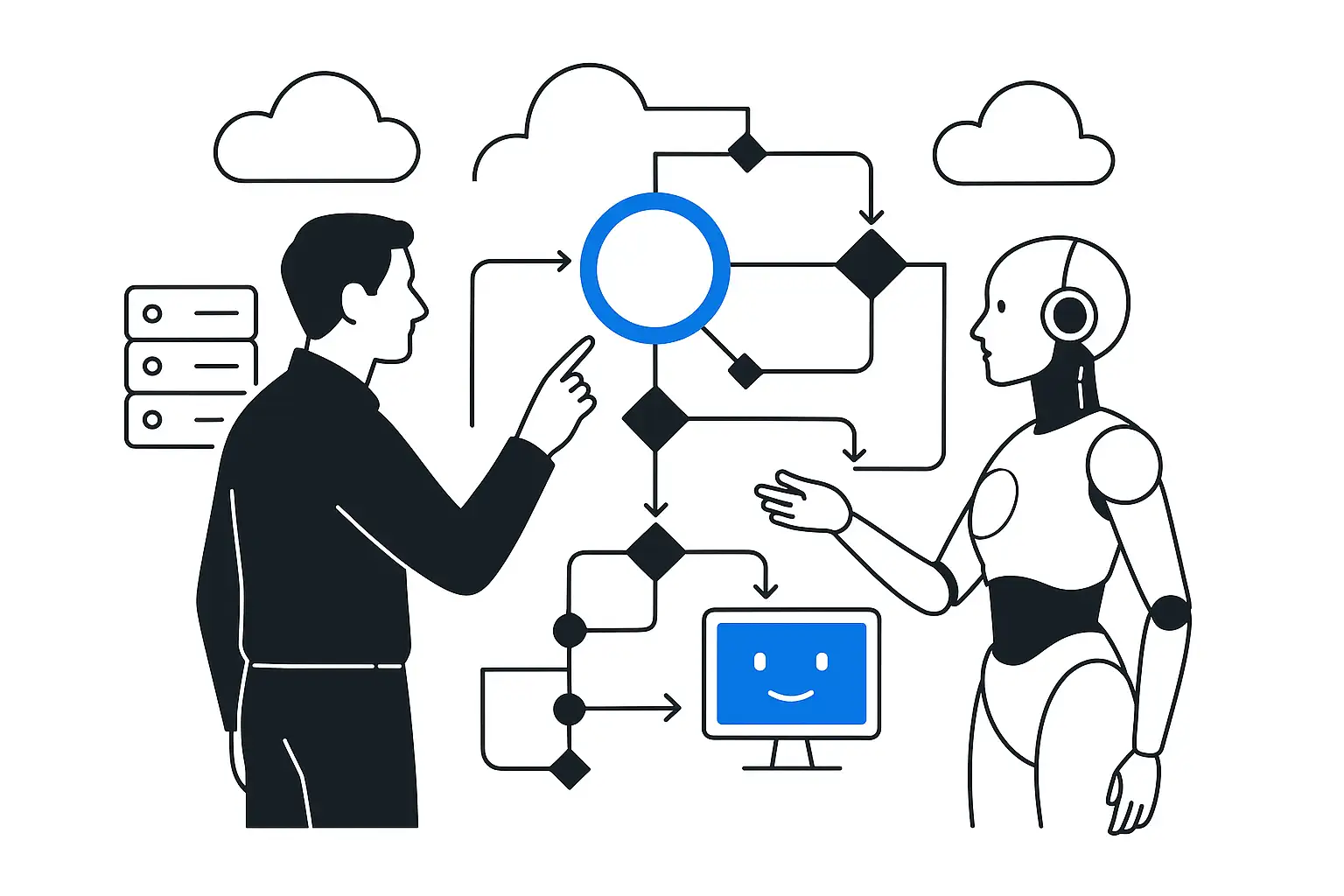
An AI agent is a virtual employee that does more than just answer questions, it plans actions independently, calls the required services, and brings the task to completion: books the client, processes a return, creates a case in CRM. Unlike an LLM model, which generates text,AI agentacts - plans and executes multi-step tasks. In the ecosystem Yandex Cloud agents have a dedicated AI Studio environment, Agent Atelier.

It includes tools, workflows, and APIs for assembling and orchestrating actions - from conversation to calling corporate systems.

How an AI agent works

1. Intent understanding. The agent receives a text or voice request, determines the user's goal, and creates a task. This reduces request classification time and the workload on operators. 2. Context gathering. The agent enriches the request with data from the customer profile and corporate documents. This enables accurate answers and reduces the share of errors that typically occur during manual handling. 3. Planning.

The orchestrator manages the agent's actions: analyzes the task, selects tools, and verifies the result. This automates even complex multi-step scenarios: returns, reservations, and data reconciliation. 4. Selecting and calling tools. Tools are actions: "check order in CRM", "create a ticket", "calculate delivery", "search the knowledge base", "issue an invoice".

5. Execution and result validation. The agent makes a call via HTTP/SQL/SDK, receives a structured response, and checks it for correctness - compliance with rules and guardrails. If needed, it asks clarifying questions, sends a second/third request, or escalates to an operator. 6. User response or escalation. The agent converts the result into a human-readable response as text or voice message, logs the step, and masks personal data.

7. Observability and data-driven learning. The system tracks every step and records latency, cost, chosen tools, escalation frequency, and quality scores. These metrics help improve prompts, rules, and routing.

What this looks like in real scenarios

Voice agent for call center/HR: answers the call, recognizes speech, clarifies intent, uses a tool to query the CRM/ATS, books a slot, or routes the request. Conversational agent on the website: answers common questions, checks order/reservation status via API, and suggests additional services. Tender agent: monitors the EIS/ETP and commercial platforms, selects relevant procurements, builds a tender card, gathers questions for the customer, and drafts the application and document package. Forecasting agent: takes forecasts, compares them with actuals, automatically creates order/transfer suggestions, flags risky SKUs, and proposes corrective actions. An AI agent's operation depends ondata quality.

The system delivers value when there is data and API access, repeatable multi-step tasks, and clear metrics.

What a corporate AI agent consists of

A corporate AI agent is not a single program, but a set of modules, which together bring the task to completion. Understanding these layers shows, where cost and impact arise, which specialists to involve, and which risks to address in the pilot. Input/output channels - Chat - widgets on the website / in the app, integration with the corporate portal/service desk. - Telephony + ASR/TTS for online conversations and IVR scenarios.

Speech recognition and synthesis are built into the system, half-duplex/full-duplex. Orchestrator and planner The orchestrator manages the agent's logic: plans steps, selects tools, and supervises task execution. This reduces errors when integrating with corporate systems and speeds up the request-response cycle.

Tools and function registries These are actions: "check order status", "create a ticket", "issue an invoice", "search the knowledge base", "run an SQL/HTTP query". In Yandex AI Studio there are ready-made tools and the ability to add custom ones via MCP Hub - connecting external APIs/systems. Scenarios can be assembled using visual Workflows.

Knowledge and RAG layer RAG- is an AI framework that improves LLM responses by adding information from external knowledge bases during response generation. The agent retrieves fragments from the corporate knowledge base - documents, procedures, SKU catalogs - ranks them, and inserts them into the LLM context. Memory preserves the history of interaction with the customer, improving personalization and response speed. Types include: - Short-term - the history of the current conversation.

The agent compresses and summarizes it, using context windows. - Long-term - customer profiles, preferences, facts. This data is stored in external storage / a vector database. The agent adds it to the prompt when needed.

Integrations with corporate systems The agent system is connected to: - CRM - for creating/updating leads and cases, checking statuses, initiating returns, and closing FAQ requests; - ERP,WMS,TMS - for working with stock, prices, documents, reservations, and transfers; - marketplaces and e-commerce - for access to item cards, prices, stock levels, order statuses, and review responses; - payment system - for processing returns, generating payment links, and changing transaction statuses; - delivery and tracking- for calculating cost and lead times, printing labels, tracking parcels, and changing delivery details; - EDI- for sending and signing documents, creating records and approval workflows; - email, calendar - for creating meeting slots, reminders, and mailings; - HR/recruiting - for pre-screening, interview scheduling, and updating candidate statuses.

Quality policies and guardrails - Response policy - when the agent must clarify, decline, or escalate the issue: low confidence in the answer, no source available, or personal data risk. - Action constraints - which tools are available to the agent, with what permissions, and for which inputs: allow/deny lists, parameter validation. - Secure connections to systems. All external services connect through a single MCP Hub, which eliminates ad hoc integrations and reduces the risk of data leaks.

For business, this means reliable agent operation and protection of corporate information. - Content and behavioral filters - rules for disallowed content, prompt normalization, and link/fact verification before replying. - RAG limitations. The agent responds only from corporate sources, with citations or document links. - Audit and logging - log prompts, tools, and decisions. Required for investigations and quality control.

Observability and evaluation - Agent step tracing - who requested what, which tool was called, input/output, time, and error code. - Quality metrics: self-service share, accuracy/usefulness of answers based on expert labeling, escalation rate, P50/P95 latency, quality of RAG retrievals. - A/B experiments and control groups - measure impact by service cost, average handling time, loyalty, and customer satisfaction metrics. - Incident postmortem procedures - who reviews logs, how quickly rules/prompts are fixed, and how rollback is handled. - Evaluation of action chains. Evaluation covers not only the text, but also the solution "path": plan -> tools -> verification.

Cost control - Token price and model routing. This is the system's key driver. - Routing by complexity: simple requests -> compact model; complex/critical -> Pro/flagship. - Caching and deduplication: repeated RAG responses and vector queries - from cache. - Pre-filtering in RAG: aggressive filtering/ranking before the LLM reduces tokens in the context. - Billing metrics: cost per conversation and successful resolution, impact on savings. - Technical limits: rate limiting by user/organization, tool timeouts, and limits on the number of plan iterations.

Discuss your challenge with an architect

How an agent differs from a chatbot and RPA

Automation comes in different forms: chatbot answers questions, RPA repeats actions in the interface, AI agent brings the task to completion. Tool selection depends on request variability, API availability, and the acceptable cost of error.

CharacteristicChatbotRPA scriptAI agent
GoalReply in textRepeat the scenario by templateBring the task to completion
PlanningNoNoAvailable
Tools/APILimitedCalling UI/scriptsBroad use of tools: API, databases, functions
AdaptabilityLowLowHigh
ChannelsChatBack officeChat/voice/services

Quick selection matrix

WhenChatbotRPAAI agent
Request variabilityLow/medium: FAQ, status, simple informationLow: clear procedure, repeated patternMedium/high: multi-step cases, need decisions on what to do
Actions are needed in the information systemRare/simple, in 1-2 stepsYes, but through the interface when there is no APIYes, a sequence of actions via API/DB/services
API accessPossible without themNo API or limited APIPreferred: CRM, ERP, WMS, telephony
Errors/exceptionsLowLow, otherwise the script breaksAvailable - escalation/rules needed
GoalReply/clarifyPerform routine clicks/exportsBring it to completion: create a request, process a return
Time-to-ValueQuick startFast local impactFast pilot, more integrations
Risks/InfoSecLowMedium, brittle to UI changesMedium, guardrails/audit needed

Scenario-based practice Support and sales For questions and commands like "Where is my order?", "Rates", "How do I return it?" - start with chatbot. It will answer from the FAQ and show status by number. If you need to process a return with eligibility checks, make an upsell, or book a slot, use AI agent. It figures out the details, checks data in CRM/OMS, creates a request, and confirms it to the customer.

If the return is processed only in a legacy system without an API, is suitable RPA. The bot will execute the workflow: open the terminal, enter the fields, and capture a screenshot of the confirmation. Marketplaces and e-commerce When you need description generation or answers to standard questions, use chatbot for the seller/customer. For automatic promo selection, bulk price/stock editing by rules, and review analysis, you need AI agent with access to portals and databases.

Upload files to a legacy customer portal without an API can be done by RPA. HR/recruiting Providing FAQ and application status for candidates can chatbot. To run pre-screening, schedule interviews, and prepare resume matching against requirements, you will need AI agent with ATS, calendar, and email. To transfer resumes from email into an old HR system form, it is enough RPA. Operations/back office It will be able to prepare procedure guides and answer standard questions like "how do I arrange a business trip" chatbot.

If you need to approve invoices, check limits, or prepare an account statement for a customer, use AI agent with the finance system, CRM, and email. For daily exports from a "legacy" system to Excel, it is enough RPA. Hybrid strategy 1. Front end: the chatbot handles standard questions and routing. 2. Middle: the AI agent handles complex, high-value scenarios - creates requests, changes statuses, and schedules. 3. Back office: RPA performs the clicks where there is no API.

CIS cases

AI agents are already delivering measurable results:

  • savings in contact centers
  • revenue growth in e-commerce
  • faster note-taking
  • accurate forecasts in retail

"Azimut": a customer assistant

Goal. Reduce the load on operators and speed up responses to routine and complex questions. Solution. A generative bot based on GigaChat + RAG for working with carrier documentation. Impact:86%requests are handled automatically and around the clock.

Yandex 360: automatic meeting notes

Goal. Cut the time spent on manual notes and make meetings more productive. Solution. Audio transcription + YandexGPT summarization: summary, key takeaways, timestamps. Effects: - savings 10 minutes per meeting; - growth of Telemost audience to 2.4 million users; - audience growth by82% per year.

Naumen: banking and energy cases

Goal. Automate inbound call handling and reduce the workload on operators. Solution. Voice and text assistants based on Naumen Speech AI and Naumen Erudite. Effects: - UBRiR: a voice bot and chatbot handle 27%requests, classify them across 108 scenarios. - Bank DOM.RF: reduced inbound request handling time by 68%, savings 80 hours per operator per month.

MTS / Exolve: voice robots and "agentic" scenarios in sales and HR

Goal. Scale contacts, increase conversion, and reduce communication costs. Solution. Voice robots/assistants, CRM integrations, number carousel, SMS hub. Effects: - reduction in communication costs for consulting at 3 times; - savings of 500 hours in initial interviews; - increased speed of processing candidate applications by 30%; - increase in call-through rate in public surveys by 4x.

Rostelecom Contact Center: LLM/AI on production traffic

Goal. Speed up responses and improve operator productivity. Solution. Implementing LLM and speech analytics. Effects: - AI is implemented in 46%projects; - processed 38 billion minutesspeech; - response speed increased by 7x; - operator productivity increasedby 21%.

Wildberries: sales assistant agents for sellers

Goal. Reduce manual work on product cards and speed up sales growth. Solution. Use of AI tools in the WB ecosystem. Impact:sales growth in3 timeswhen managing item cards 20 minutes a day.

Ozon: content generation for product cards

Goal. Create high-quality catalog descriptions quickly. Solution. Generating marketplace listings. Impact:120descriptions in15 minutes.

Week-by-week agent implementation plan

A weekly methodology turns AI agent implementation into a controlled production project. This rhythm reduces the risks of a drawn-out PoC and keeps focus on P&L and information security.

What to consider before launch

- Generation errors and accuracy - limit the knowledge domain, enforce strict RAG, apply the rule "if unsure, escalate," and keep a full prompt/response log for retrospectives. - Security and personal data - choose providers in CIS, configure encryption and role-based access, DLP. - Ethics and quality - configure toxicity and content filters, fair processing, and topic blocklists. - Operational risks - prepare SLOs/alerts, a fallback plan for LLM degradation, token limits, and a backup model. - Cost management - set pricing and limits.

Weeks 1-2. Goals and metrics

- Choose 1-2 focused scenarios where more than 60% of requests repeat: FAQ, request intake, returns, pre-screening. - Define a target metric: cost per contact, escalation rate, cycle time, write-offs/overstock, SLA/CSAT.

Weeks 3-5. Data and agent design

- Prepare the knowledge base, templates, dialogues, procedures, transactions, and standardize terminology. - Design tools: "check order", "create return", "calculate ETA", "schedule interview", "find document". - Develop policies: logs/traces, qualitative slices, fail-safety - it is better to acknowledge uncertainty and escalate.

Weeks 6-8. Integrations and quality

- Set up integration with CRM, ERP, IVR, and WMS via API, quality audit triggers, and conversation annotation. - Create load tests and guardrails against toxicity/hallucinations. - Choose and configure the LLM: GigaChat or YandexGPT. Consider enterprise pricing and SLOs.

Weeks 9-12. Pilot and scaling

- Run an A/B test on 10-30% of traffic, record savings and uplift. - Train teams on prompt patterns, escalation, and quality control. - Prepare a scaling roadmap: 2-5 scenarios, new channels. By the end of the cycle, you will have an AI agent in production on limited traffic, metric dashboards, an escalation procedure, and an operations guide. The management decision will be based on verified ROI, quality, stability, and compliance.

The next stage is scaling to adjacent scenarios and lowering costs through model routing and caching. This format makes implementation predictable and transferable to other processes without "restarting" the project.

Implementation discipline is the basis of sustainable results

Implementing AI agents is a controlled path to higher business efficiency. They reduce service costs, speed up request processing by 3-7x, and improve customer experience quality. Their ROI is above 150% thanks to shorter response times and lower operator workload. To achieve these results, start with an 8-12 week pilot, measure the impact, and scale the scenarios. Disciplined implementation makes the company resilient and the processes predictable and profitable.

Discuss your challenge with an architect

Discuss the article: What AI agents are and how they reduce...

Send via: