Construction automation for developers: digital construction tech, project management, BIM, IoT and data analytics

Digital construction tech, BIM, IoT and data analytics for managing projects, procurement and resources.

  • Why Developers Need Construction Automation
  • What Tasks Construction Automation Solves
  • Technology Stack: What Digital Construction Consists Of
  • Common Data Environment (CDE)

A developer manages not only construction, but also many related processes: procurement, contractors, equipment, documentation, and project deadlines. If some of these processes are handled manually, the company loses time, money, and control over the build. We explain what construction automation is, which technologies power digital construction, where to start implementation in a company, and how to choose a system.

Why Developers Need Construction Automation

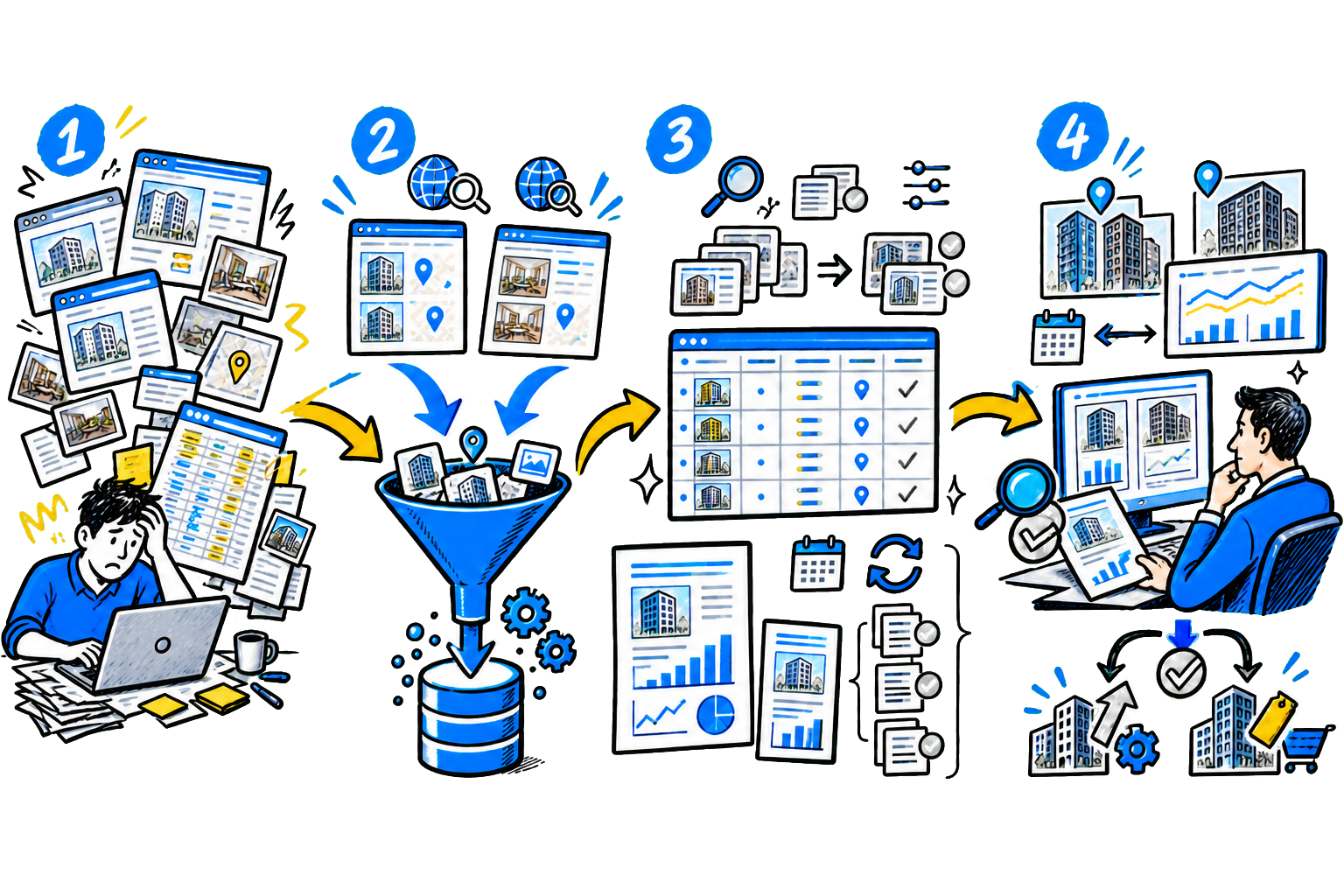
Construction Automation - this is the use of digital systems that help manage a construction project based on data. Management and the team get a single view of work schedules, procurement, material consumption, equipment utilization, and task status. These systems collect data from the construction site, compare it with the schedule and project model, and show deviations.

This helps identify delays faster, monitor contractors, and make decisions based on facts rather than reports or verbal updates.

Discuss your challenge with an architect

The industry is only beginning to actively adopt automation. According to studies, in 2025 construction companies invested 8.3 times less in digitalization than manufacturing companies. This means many organizations still work in outdated ways and lose efficiency.

For a developer, construction automation provides the main benefit - project predictability. Management sees what is happening on site and can respond to problems in advance. For example, the foreman records completed work on a tablet. The system compares the data with the schedule and BIM model. If a material delivery is delayed or work falls behind plan, management sees it immediately instead of weeks later.

What tasks construction automation solves Construction automation helps control key processes on site. - Project schedule management- the system compares actual work progress with the schedule and flags the risk of missed deadlines in advance. - Procurement and materials control - the company tracks requests, deliveries, and material stock, and identifies mispicks, short shipments, and supplier errors faster. - Contractor management- the developer sees how contractors perform the work and whether they meet deadlines and project requirements. - Working with project documentation and the BIM model- project participants use up-to-date data, find errors faster, and approve changes more quickly. - Cost and resource control- management sees how equipment, materials, and budget are being used and can respond to overruns faster.

Technology Stack: What Digital Construction Consists Of

Construction automation relies not on one program, but on several technologies that work together. Some systems collect data from the site, others help manage the project, and others control deadlines and safety. When a developer connects these tools, they get a transparent view of the project and make decisions faster.

Common Data Environment (CDE)

A common data environment stores all project information in one place. Participants in the construction process work with the same documents and models. The team opens the software and sees the current versions of drawings, specifications, and reports. This reduces the risk of errors and simplifies coordination among participants. On large construction sites, a CDE helps manage thousands of documents while quickly tracking changes.

Digital Twins and BIM

BIM model contains detailed information about the future building: structures, materials, engineering systems, and the cost of elements. Designers and builders use one model and find errors or conflicts between systems faster. A digital twin complements BIM. It shows the current state of the site and compares it with the project. The system receives data from the construction site, making it possible to detect deviations from the design at an early stage.

IoT sensors and monitoring systems

Sensors and devices on the construction site transmit data about equipment operation, movement of people, and site conditions. Management can see crew utilization, monitor hazardous areas, and analyze equipment use. Sensors also help track temperature and humidity during concrete work or material storage. This makes quality and safety control on site easier.

Robots and Exoskeletons

Robotic machines and mechanized devices handle heavy or repetitive operations. For example, automatic machines bend rebar to specified parameters while a worker monitors the process. Exoskeletons support installers' arms and backs when working at height or overhead. These technologies do not fully replace people, but they speed up tasks and reduce physical strain.

Artificial Intelligence and Data Analytics

Analytics systems process project data to help identify risks. Algorithms analyze schedules, equipment deliveries, and resource utilization. If the system sees a risk of delay or budget overrun, it alerts the manager. Artificial intelligence also analyzes camera data and helps find defects or deviations from the project faster. Important: Construction automation technologies pay off faster than developers expect.

Thus, exoskeletons and robotic machines often pay back the investment in 1.5-3 years. Savings come not only from reducing manual work - companies also cut equipment downtime, face fewer site injuries, and achieve more consistent work quality.

Implementation stages: where to start automation in the company

Construction automation is rarely implemented with a single solution or a single program. Companies go through several sequential stages - this approach reduces risk and helps deliver results faster. 1. Analyze current processes Before implementing a system, you need to understand where the company is losing money and time. To do this, it is important to review the main processes: procurement, site control, equipment operations, and document approval. The best approach is to gather feedback from specialists who work on site.

Foremen, supply staff, and engineers will quickly reveal weak spots. For example, material requests may take several days to approve, documents may get lost between the office and the site, and equipment downtime may not be recorded in reports. After such an analysis, it becomes clear which processes need to be automated first. Usually, most problems are concentrated in a few key operations. 2. Define specific goals Phrases like "improve efficiency" do not help manage the project.

It is better to set specific metrics. For example: reduce material request approval time from five days to one, cut equipment downtime by 20%, or eliminate paper delivery notes on sites. It is also important to assign owners for each process. Automation should not remain an IT task. Procurement is owned by the head of supply, construction control by the chief engineer, and the digital system becomes a tool for their work. 3.

Start with a pilot site. Many companies make the same mistake: they roll out the system across all construction sites at once. It is much safer to start with one site. For the pilot, choose a site with standard processes and a team that is ready to test new tools. At the first stage, it is enough to automate a few processes, such as warehouse accounting and load control. You should also allow time for refinements.

Almost always, after the first few weeks of use, requests appear for changes to the interface and report forms. 4. Train the team Even the best system will not deliver results if employees do not understand how to use it, so it is important to invest time in training. Usually, short hands-on sessions are held for foremen and engineers. They are shown how to enter data, record completed work, and submit requests. On sites, specialists are often assigned to help colleagues learn the system. 5.

Expand the rollout after a successful pilot. If the pilot delivered results, the system can be gradually introduced at other sites. Before scaling, it is worth documenting the impact: how much time was saved, how approval times changed, and whether downtime was reduced. These results help explain to teams at other sites why automation is needed. After that, rollout goes faster because the main mistakes have already been identified during the pilot stage.

In most companies, automation develops gradually: first one process, then several, then a full project management system.

Discuss your challenge with an architect

How to choose the right construction automation system After defining the tasks, the company selects a software solution. There are many on the market, so it is important to evaluate not only the functionality, but also how well they fit real work on site. - The supplier's experience in construction.The supplier should have implementations specifically in construction companies.

It is useful to review real cases and make sure the team understands construction processes and documents such as KS-2 and KS-3. - Management analytics.The system should show not only the work schedule, but also the financial indicators for the site.

- It is important that it integrates with accounting or ERP and helps analyze deadlines, costs, and resource utilization. - Data security.Check where the data is stored and whether the system complies with legal requirements. It is also important to know whether the solution is included in the domestic software registry and whether it can be installed on the company's servers. - Convenience for work on site. The software should be simple for foremen and engineers.

Look for a mobile app, fast data entry, the ability to attach photos, and work with unstable internet. - The option to start with a pilot. It is better to choose a solution that can first be tested on one site and then gradually expanded. This reduces risk and lets you validate the system in practice.

Why Automation Implementations in Construction Often Do Not Deliver Results

According to McKinsey, many automation projects in construction do not achieve their planned results. An analysis of more than 500 projects showed that budget overruns average around 79%from the estimate, and construction timelines increase by 52%. Most often, this is caused not by the technology itself, but by implementation errors.

The table shows the most common mistakes that occur when automating construction organizations.

RiskWhat is the problemWhat will help avoid
System incompatibilityThe company buys a system that does not integrate with accounting, ERP, or other internal services.
As a result, employees have to transfer data between systems manually - duplicate records are kept.
Before buying, check the integrations. Ask the vendor to show a demo with data transfer between systems:
for example, how information from the project flows into the estimate or procurement.
Employee resistanceForemen and engineers do not use the system or keep records in spreadsheets in parallel.
Most often, this happens because employees do not understand the value of the new system or have not been trained.
Train people on real tasks. Assign employees on site to help their colleagues
work with the system. Show how the tool saves time on reports and documents.
Trying to implement everything at onceBusinesses try to automate several sites and processes at the same time.
The team does not have time to adapt, and the solution requires further work.
Start with one site and a few processes, such as materials tracking or work control.
If the pilot project delivered the desired effect, scale automation further.

A new risk factor: safety when using equipment and robots. Automation helps reduce some construction risks. For example, specialized drones are used to inspect tall structures, and exoskeletons reduce strain on workers. However, the arrival of new technologies also requires updated safety rules.

Studies of incidents on construction sites show that injuries can occur when working with automated equipment - for example, robotic mechanisms or stationary machines. That is why, when introducing equipment, it is important not only to train employees to use the system, but also to revise safety instructions and monitor how people interact with the equipment.

Case study: how procurement automation helped speed up construction and reduce downtime

Problem: large development PropTech company, which ranks among the top five CIS developers by construction volume, has an impressive portfolio of about 20 projects with a total area of 1.5 million m². Construction material procurement was handled without a unified system. Each site required hundreds of items - concrete, rebar, pipes, windows, doors, and other materials.

At the same time, they cannot be purchased in advance: many items are needed only at a specific stage of work, and some materials lose quality if stored too long. Managers did not always know the exact required quantities. Builders could use more or less material, and sometimes leftover stock from other sites was delivered to the project. As a result, procurement planning became inaccurate. The approval process also took a lot of time. Documents were signed manually, and requests were sent by email or through messengers.

If the responsible employee was absent, approval stopped. Suppliers and contractors often negotiated directly with managers, and procurement information reached the developer only after the invoice was issued. Task:create a single procurement management system. It had to automate the entire process: from request creation to supplier payment, taking into account different procurement scenarios and the specifics of construction materials.

The development stack chosen was Django for the backend and React for the interface, using the company’s internal component library. Solution:our experts analyzed the existing procurement processes and identified the main supplier interaction scenarios. Based on this, they developed a standard request form that automatically changes its structure depending on the type of purchase.

The system supports several standard scenarios: - standard delivery of materials by a specific date; - purchase without a contract or without estimated cost (for example, rare components); - postpayment based on actual material consumption; - prepayment with possible volume changes, for example when purchasing rebar; - complex payment schemes - advance, delivery, and final settlement after actual delivery. After the request is created, the system automatically generates the documents and sends them for approval.

Documents are signed with a digital signature. At each stage, the interface shows the manager what actions to take next. The experts also built a separate service for accepting materials in the developer's mobile app. Site staff record the delivery directly from their smartphone. Results:in the first month after launch, the solution already increased request processing speed.

At the start, the average procurement cycle looked like this: - prepayment requests went from creation to payment in about 69 days; - postpaid procurement accounted for about 46 days. After process setup and employee training, request processing time dropped significantly: - prepaid procurement became faster 4.9x; - postpaid procurement - about 3x; - the average request processing time dropped to about two weeks.

After the system was implemented, the developer gained transparent control over procurement: managers can see in real time which materials are ordered, paid for, and already delivered to sites. Employees no longer approve documents manually or spend time corresponding with suppliers - everyone works in one system. As a result, requests move faster, deliveries arrive on time, workers spend less time idle, and the company shortens construction timelines and lowers the cost of work.

Discuss your challenge with an architect

Discuss the article: Construction Automation for Developers

Send via: