AI Equipment Recognition from Photos

Learn how to launch an AI assistant that identifies equipment from photos, connects to a reference catalog, and proves value in a pilot.

  • Where such an assistant delivers value
  • What the working scenario looks like
  • What to prepare before the pilot
  • How to evaluate a pilot

AI-powered equipment recognition from photos: use cases and pilot launch

  1. 06.11.2026 An employee needs to identify a device, find it in the reference directory, and continue the workflow: accept it for repair, arrange calibration, select a spare part, or create a request.

  2. The photo may show a logo, labeling, a scale, units of measurement, and the shape of the housing.

  3. The person must enter these features into the search and manually compare similar items. An AI assistant can shorten this process.

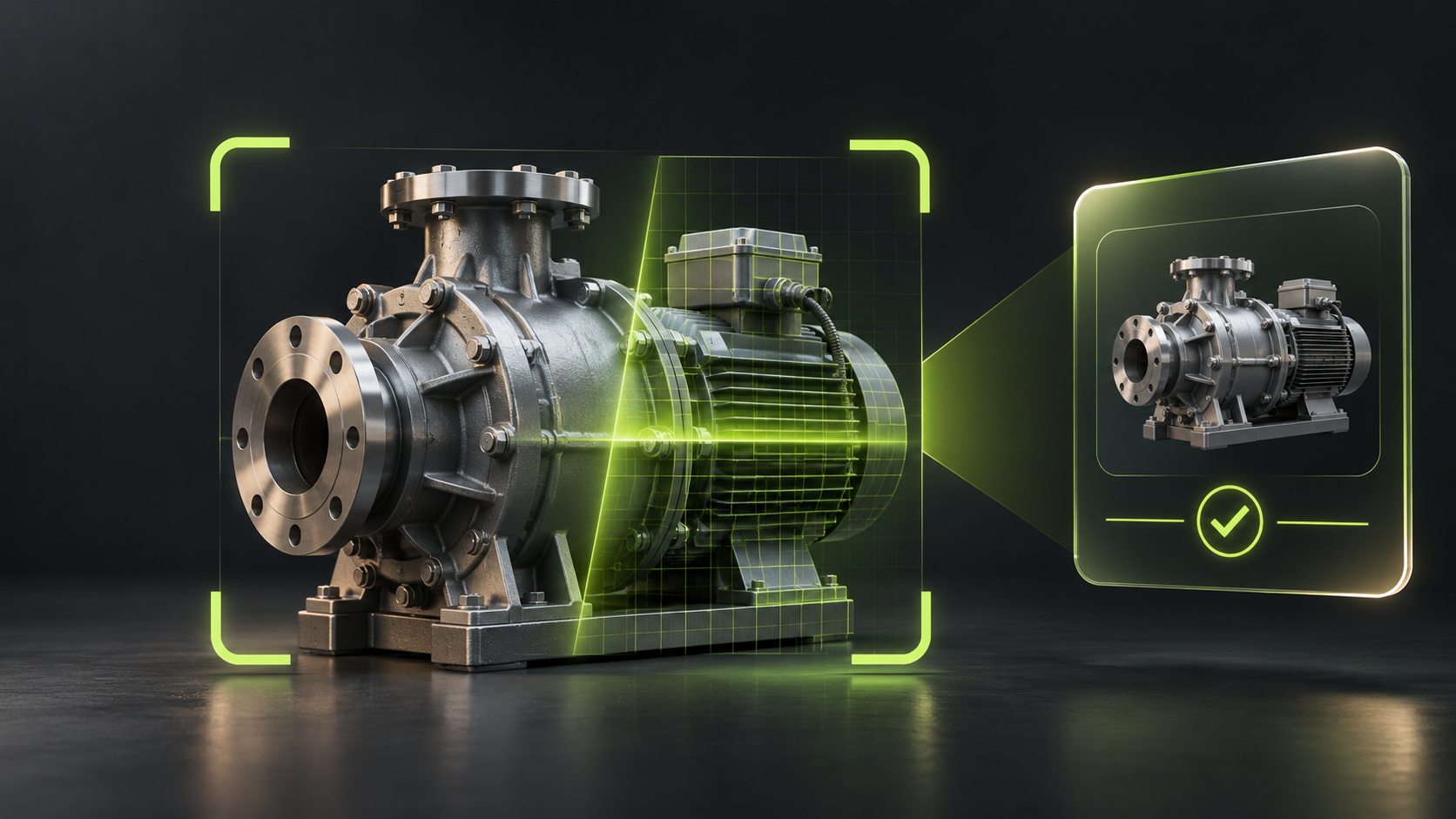
  4. The employee uploads a photo, the system extracts visible features, suggests several items from the corporate catalog, and explains why they are suitable.

  5. If the data is insufficient, the assistant asks the employee to photograph the nameplate or provide another angle.

  6. Final confirmation remains with the employee wherever an error could affect accounting, safety, or subsequent work.

AI Equipment Recognition from Photos
AI-powered equipment recognition from photos: use cases and pilot launch

Where such an assistant delivers value

  1. Photo-based recognition makes sense when an employee regularly sees a physical object but does not know its exact name or inventory code.

  2. Possible scenarios: - accepting equipment for repair or service; - inventory and matching against the register; - finding an instruction, procedure, or service history; - submitting a request for calibration or replacement; - selecting consumables and spare parts; - checking completeness in a warehouse or at a site; - assisting a field specialist.

  3. The value comes not from image recognition itself.

  4. It appears when the confirmed item is used immediately in the next step: a record is opened, a request is created, a warranty is checked, or a document is selected.

  5. If photographs are submitted rarely and the search takes only a few seconds, a separate system may not justify its implementation cost.

  6. Before the pilot, measure the operation frequency, employee effort, cost of an incorrect choice, and quality of the current reference directory.

What the working scenario looks like

1. The employee uploads a photograph The application immediately checks whether the image can be used. If the marking is blurry, the object is too small, or there is glare on the surface, the employee receives a clear prompt: move closer to the nameplate, add an overall view, or change the shooting angle. This check saves processing time and cost. The model should not give a confident answer when the image does not actually contain the required data. 2.

The system extracts features. One component reads labels and numbers, while another analyzes the visible characteristics of the object. The result is a set of observations: probable manufacturer, model, unit of measurement, range, serial number, and housing features. Modern computer vision models can extract text and structured features from images. Technical reports on Qwen2.5-VL and PaddleOCR 3.0 confirm these capabilities for the respective model families.

Their published results do not replace validation using photographs from a specific company. 3. The assistant searches for items in the reference directory The system matches observations against the equipment catalog. An exact serial or catalog number carries more weight than visual similarity. If the unit of measurement or range conflicts with the record, the option should be excluded or clearly flagged.

In the interface, the employee sees: - several of the most suitable items; - matching attributes; - attributes that could not be read; - discrepancies between the photograph and the reference directory; - the recommended next step. This format helps verify the decision and reduces the risk of choosing the first plausible item. 4. The system confirms, asks for clarification, or hands the case to a person The result can have three statuses.

StatusWhat happenedWhat the system does
Can be confirmedone option with sufficient matching features was founddisplays the record and offers to continue the process
Clarification is neededseveral options differ by one visible featurerequests an additional photo or value
A specialist is neededthe object is not in the reference directory, the image is unusable, or the data is contradictoryassigns the case to an employee and records the reason

Separating the causes is important for improving the process. A poor photo can be addressed with user guidance. A missing item requires an update to the catalog. A contradiction may indicate incorrect labeling or an inaccurate record. 5. The confirmed result triggers the next process After an item is selected, the system can open its service history, create a request, insert data into a document, or send the equipment code to the accounting system.

This is where the measurable impact appears: the employee performs fewer manual steps, and more complete data reaches the production system.

What to prepare before the pilot

  1. Corporate reference directory AI will not fix a reference directory in which one model is listed under different names, mandatory specifications are missing, or current items are absent.

  2. Before the pilot, it is useful to choose a limited equipment category and check: - whether the item has a unique code; - whether the manufacturer, model, and key specifications are filled in; - which fields actually distinguish similar items; - whether reference photographs exist; - who is responsible for correcting records.

  3. If the reference directory is of low quality, the pilot can still be useful: it will show which data is missing.

  4. However, automatic identification cannot be promised in such a situation. A set of real photos

  5. Demonstration images from a catalog do not represent field conditions.

  6. Validation requires images taken with different phones, from different distances and angles, including glare, blur, and partially obscured markings. The set should also include similar models and objects that are absent from the reference directory.

  7. Some photos are used for configuration, while others are reserved for final validation.

  8. This reduces the risk of achieving good results only on familiar examples. Decision rules

  9. For each category, define: - which attributes are mandatory; - when showing several options is sufficient; - when the employee must confirm the choice; - which errors are critical; - when the system must decline to make an automated decision; - which action is allowed after confirmation.

  10. The higher the cost of an error, the stricter the rules.

  11. A hint for finding an instruction and an automatic change to an accounting record require different levels of control.

How to evaluate a pilot

The percentage of “correct answers” does not show the full picture. Managers need metrics tied to the workflow.

What to measureWhat this shows
The correct item ranks firstsuitability for quick confirmation
The correct item is included in the shortlistthe assistant's usefulness in ambiguous cases
An object outside the reference directory was not assigned a false matchability to handle unknown objects safely
Share of requests for an additional photographinput data quality requirements
Share of employee correctionsautomation boundaries and recommendation quality
Time from photograph to confirmed itemimpact on the operation as a whole
Share of mandatory fields completedthe quality of data transferred to the production system
Cost of processing one casesolution economics, including model and human review costs

Metrics are calculated separately by equipment category and photo quality. An average can conceal a class where the system performs poorly and creates risk.

Assess where AI can deliver impact in your process

How to handle employee corrections

  1. A user correction is a signal, but it is not yet verified knowledge. The employee may make a mistake, choose the closest item, or work with an outdated record. A safe process looks like this:

  2. The system saves the original recommendation and the correction.

  3. The responsible employee reviews the disputed case.

  4. A confirmed correction is added to the reference directory or validation set.

  5. The modified version of the solution undergoes validation again.

  6. After release, the team monitors whether the quality of other categories has declined. In its materials on monitoring live AI systems, NIST specifically highlights changes in quality over time, human feedback, and fragmented logs. For the product, this means a simple rule: every correction must be visible, verifiable, and linked to a system version.

Cloud or on-premises deployment

  1. For a pilot, it is often easier to use a cloud model API: there is no need to purchase equipment or create a dedicated operations team.

  2. This option is acceptable only after verifying the data composition and the rules for its transfer and storage.

  3. Deploying the model inside the company may be necessary if the photos contain sensitive data, an external service is unavailable within the corporate environment, or the company needs to manage versions independently.

  4. Along with control, the company assumes responsibility for computing resources, updates, monitoring, and support.

  5. A hybrid approach makes it possible to begin validation through an external service while retaining the option to replace it later.

  6. For this reason, business rules, the reference directory, and decision history must not depend on a single specific model.

What not to promise before the pilot

- an exact recognition rate without a set of real photographs; - full automation for all equipment categories; - operation without an up-to-date reference directory; - safe automatic learning from any corrections; - a fixed price without understanding the number of photographs, retries, and human reviews; - identical quality in the cloud and on a local model without comparative testing. These limitations do not weaken the proposal. They define the conditions under which the result can be verified and accepted.

How to launch a pilot

  1. Choose one equipment category and the next business step after recognition.

  2. Check the relevant section of the catalog.

  3. Collect an anonymized sample of real photos, including difficult and unknown objects.

  4. Configure feature extraction and search for multiple candidates.

  5. Provide employees with an interface for confirmation and clarification.

  6. Compare the result with the original process in terms of time, data quality, and errors.

  7. Make a decision: expand the categories, change the approach, or stop the workflow. The pilot should end with a product decision. An impressive recognition demo that is not connected to the working system does not provide the basis for that decision.

Conclusion

  1. Equipment recognition from photos becomes a useful product when it combines four elements: real images, a verified catalog, clear confirmation rules, and the next workflow step. AI helps extract features and shorten the search.

  2. The employee gets a basis for the decision and retains control in disputed cases.

  3. The company gains a measurable process that can be gradually expanded across equipment categories.

  4. To validate the workflow, you need an anonymized photo sample, the catalog structure, and rules for confirming the result.

Related materials

Sources

Confirms visual recognition, object localization, and structured extraction capabilities for the specified model family. 2. Qwen Team: Qwen2.5-VL,

Confirms capabilities for text recognition, document parsing, and key information extraction. 4. Google Cloud Vision: Supported image formats and dimensions. Confirms that the quality and limitations of input images depend on the specific service and use case. 5. Amazon Textract: Best Practices.

Confirms the principle of selecting a confidence threshold for a specific process and routing uncertain results to a human; document-related recommendations are not used as standards for equipment photos. 6. NIST: Challenges to the Monitoring of Deployed AI Systems,

Used for points about changes in quality, logs, and human feedback after launch.

Discuss the article: AI-powered equipment recognition from photos…

Enter your email or phone number so we can get back to you.

Send via: