Virtual Fitting Room: Pre-Pilot Checklist

Learn how to prepare your catalog, user photos, integrations, and metrics for a virtual fitting room pilot in online fashion retail.

  • When a pilot makes sense
  • First, distinguish between three different products
  • Check catalog readiness
  • Define the brand's quality rules
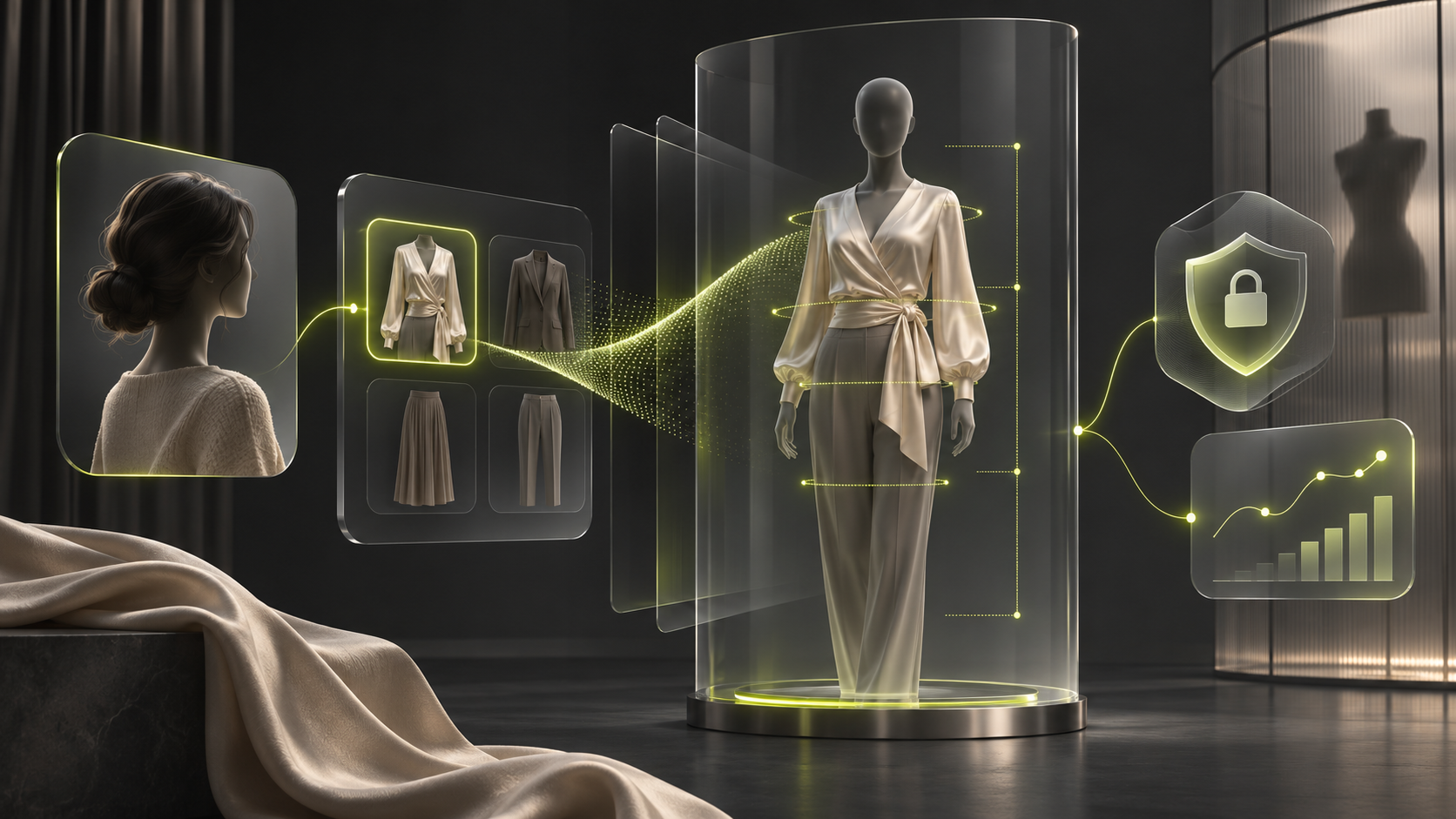
  1. 06.11.2026 Depending on the product, the customer uploads a photo, selects a ready-made model, or creates a digital avatar and sees a generated look featuring an item from the online store.

  2. For the business, this helps customers assess a look, explore more products, and move from visualization to a product page, cart, or saved collection. The widget is only one layer of the solution.

  3. For a production service, define which products are eligible for generation, which images the model receives, where user photos are stored, how website and app profiles are linked, and which metrics determine whether the pilot is accepted.

  4. Start the pilot with a business hypothesis, data, and quality rules.

  5. The specific model is selected within an already defined framework.
Virtual Fitting Room: Pre-Pilot Checklist

When a pilot makes sense

You can proceed to launch when: - a sufficient share of the selected assortment has the required images; - the virtual look is linked to the product page and cart; - the user photo processing framework is approved; - analytics supports a controlled experiment; - the business has a quality owner and continuation criteria.

If the catalog is not ready, analytics does not link fitting to purchases, and the goal is framed as "add a beautiful AI widget"

, a preparation phase is needed first.

First, distinguish between three different products

The term “virtual fitting room” often combines different tasks.

ProductWhat question it answers
Generative virtual fittinghow an item may look on a person or avatar
Size recommendationwhich size is most likely to fit based on the measurements and the brand's size chart
Outfit creationwhich items to pair with the selected piece
AR try-onhow an object looks in a live camera feed

One service may support all three scenarios, but they require different data and success criteria. A generated image helps assess style, color, and how items work together. It should not promise accurate length, fit, or sizing unless the solution has undergone separate testing for that purpose.

In its description of its own virtual try-on, Google explicitly states that the result is a visualization and may contain errors in clothing details, facial features, and body shape; the feature does not confirm fit or recommend a size. It is equally useful to show this limitation clearly to online store users.

Check catalog readiness

Models need data for a specific product variant: color, category, and images.

During design, define the minimum data set: - a stable product and variant identifier; - category and color; - a product page link; - the current publication status; - the primary image; - additional angles and details; - a photo of the item on a model, if required by the selected solution; - attributes determining whether the product is eligible for virtual fitting; - the image and eligibility-rule version, so outdated results can be replaced correctly after an update.

In a fashion catalog, photos do not appear simultaneously: the product page may already be published while the model shoot is uploaded later.

If the service receives the full feed without eligibility rules, it may either show a button for an unprepared product or create an image with unpredictable fit.

A practical option is a separate readiness status.

An item enters the fitting room only after required data, a supported category, and images have been verified. For its own setup, Google recommends high resolution, a full view of the item, a simple front-facing angle, and no overlapping accessories.

Another provider may require a model photo, flat lay, garment mask, or multiple angles; document the requirements from the service documentation and verify them on the pilot sample.

Define the brand's quality rules

  1. The depth of control depends on the brand's requirements and the cost of distortion.

  2. If shoppers need to distinguish texture, seams, buttons, length, and layering, include these attributes in visual quality checks.

  3. Before launch, agree on: - which distortions are blocking; - who checks the result, the service provider or the brand team; - whether each new product requires manual acceptance; - how to submit a result for correction; - what happens to an already published generation after a photo is replaced; - how quickly a problematic product is removed from the fitting room.

  4. Before the button is enabled, the product undergoes a preliminary check covering category suitability, assets, and test generations.

  5. It is convenient to represent it with the statuses "insufficient data," "under review," "approved for publication," and "rejected."

  6. The personalized result is created during use, so manually reviewing every generation would disrupt the user journey.

  7. This requires automated checks, sample audits, a way to report issues, and rapid disabling of a problematic product or model version.

  8. Check that color, print, logo, and hardware are preserved; that the person is not distorted and no extra elements appear; and assess result safety, generation time, and error rate.

Map out your integration landscape

Design the user journey

  1. The fitting room can open on the product page, in a separate catalog of available items, or inside the mobile app.

  2. The entry point changes the user journey and integration scope; its impact on conversion is measured during the pilot.

  3. Decide in advance: - whether unauthenticated users see the button; - whether a ready-made avatar can be used without uploading a photo; - how users return to the product and cart; - whether the look gallery is saved; - whether the website and app share one gallery; - what customers see when the limit is reached or the service is unavailable; - whether the result can be downloaded or shared.

  4. An anonymous browser identifier is not sufficient for use across multiple devices.

  5. The fitting room profile is linked to the store account.

  6. If transferring the gallery between devices is not required, this linking does not need to be implemented.

  7. Only necessary identifiers are transferred to the external service; connection and deletion rules are documented in the integration agreement.

User photos require a separate data strategy

Design the processing of people's photos and generated images separately from the widget interface.

Before launch, business, IT, security, and legal teams determine: - who is the data controller and processor in the specific setup; - what notice and consent are required; - where the original photo, profile, and gallery are located; - whether images are sent to third-party models; - whether they are used for training; - the retention period; - how users access and delete their data; - how they are deleted

derived images, thumbnails, masks, caches, and backups; - which subcontractors participate in processing; - which access and deletion logs are retained; - what happens after the contract with the provider ends.

The answers depend on the jurisdiction and architecture: SaaS, a dedicated cloud, or deployment in the retailer's infrastructure.

Therefore, verify the provider's compliance claims against the contract, data flow diagram, and actual pilot configuration.

Service availability must be clear to the customer

  1. Generation depends on the widget, the supplier's infrastructure, and one or more models.

  2. A failure in any component must not break the product page or checkout.

  3. For the pilot, define: - acceptable generation time; - monthly and per-user limits; - button behavior when a limit is reached; - a fallback flow in case of unavailability; - store-side monitoring; - model replacement rules; - availability and recovery commitments.

  4. A user may mistake the disappearance of a familiar button for a website error.

  5. When the service is unavailable, it displays a clear message and the standard product gallery.

  6. Use the alternative mode with a ready-made avatar only when the selected solution genuinely supports it.

Separate usage metrics from commercial impact

The widget provider typically sees openings, generations, selected products, click-throughs, and actions within the fitting room.

Purchases and returns take place in the retailer's systems.

Therefore, end-to-end analytics requires pre-agreed events and identifiers.

It is useful to separate three levels of metrics. Usage - share of product pages with fitting available; - widget opens; - completed and unsuccessful generations; - waiting time; - repeat fittings and saved looks. Behavior - return from the fitting room to the product page; - adding items to favorites and the cart; - viewing multiple products after generation; - drop-off at each step of the flow. Business Outcome - conversion to purchase; - average number of items per order and average order value; - returns due to size, appearance, and other reasons; - repeat purchases; - generation and support costs; in a controlled experiment, the cost of an additional order.

The pilot economics also include the license or minimum supplier payment, image preparation, integration with the product information management system (PIM), website, app, and analytics, visual acceptance testing, support, and processing data deletion requests.

Comparing fitting room users with everyone else after the fact distorts the result: more interested shoppers are more likely to open the new tool themselves.

A pre-designed randomized A/B test is preferable.

If it is not possible, choose another controlled design and document the limitations of causal inference in advance.

How to structure the pilot

  1. 1. Formulate a hypothesis For example, the fitting room may increase add-to-cart rates for a specific category or help shoppers explore more products.

  2. Reducing returns can be the primary metric only when size recommendation is available and return-reason data exists. 2.

  3. Select a representative assortment. Include the main materials, silhouettes, colors, and complexity levels.

  4. A sample containing only basic garments will not show quality for complex silhouettes, materials, and layered looks. 3.

  5. Prepare data and publication rules

  6. The team checks the feed, images, variants, links, and statuses.

  7. For each product, it is clear why the button is available or hidden. 4. Conduct visual acceptance testing

  8. The test set covers different types of user photos, body proportions, lighting conditions, and devices.

  9. Record errors using a unified classification. 5.

  10. Check data and failure scenarios

  11. Test consent, photo deletion, profile linking, limit exhaustion, provider unavailability, and catalog product replacement separately. 6. Launch the experiment

  12. Before the start, define the unit of group assignment, required sample size, minimum duration accounting for the purchase and return cycle, primary and guardrail metrics, and stopping rules. Guardrail metrics include generation time and errors, complaints, and refusal to upload a photo.

  13. Evaluate results by preselected segments and verify that the groups were formed without bias.

Conclusion

  1. A virtual fitting room becomes a product when the retailer manages the entire system: assortment, images, generation quality, user data, availability, and analytics.

  2. A demonstration of an attractive look confirms that the technology is feasible.

  3. The pilot must confirm that it helps shoppers and creates a measurable impact for the specific catalog.

  4. Based on the assessment, KT.Team can prepare an assortment readiness matrix, a user data flow diagram, supplier requirements, an integration map, and an experiment design with continuation criteria.

  5. After that, the pilot can be evaluated as a separate product stage.

Sources

- Google Merchant Center: How Google’s try-on tool works - confirms that the result depends on the product photo, highlights accuracy limitations, and distinguishes visualization from fit and size selection. - Google Merchant Center: Best practices for clothing images - contains recommendations for image resolution and presenting clothing on models. - Google Shopping: Virtual try-on using a shopper’s image - shows the current user's

the photo upload and virtual try-on flow. - NIST AI 600-1: Generative AI Profile - used for general principles of generative AI risk management; it does not define requirements for a specific fashion service or data processing in a chosen jurisdiction.

Discuss the article: Virtual Fitting Room: What to Check Before…

Enter your email or phone number so we can get back to you.

Send via: